Microsoft spent years pushing Copilot into Word, Excel, and PowerPoint. Now it’s doing the opposite.
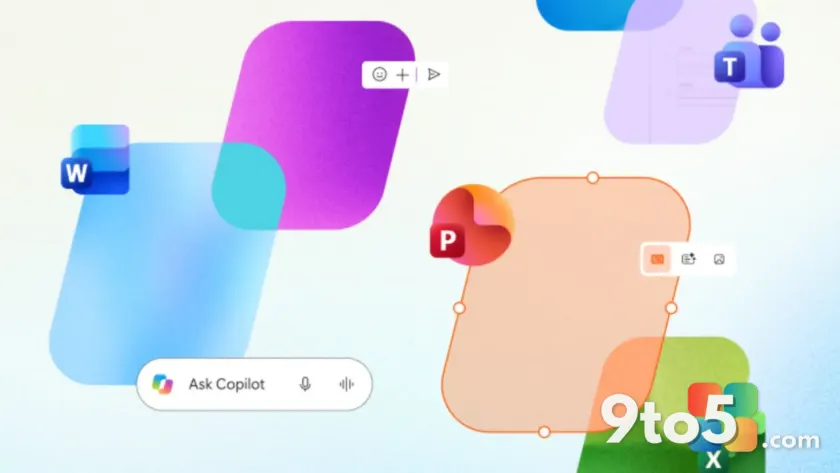
The company is bringing the full Office experience into the new Copilot app, according to reporting by Neowin. Instead of scattering Copilot features across dozens of Office programs, Microsoft is consolidating Word, Excel, and PowerPoint directly inside a single Copilot-branded app.
This is a notable reversal of strategy, and it signals where Microsoft thinks the future of Office interaction is headed.
From embedded Copilot to a Copilot-first app
For the past couple of years, Microsoft’s approach was straightforward: take the Office apps you already knew and bolt Copilot onto them. A Copilot button appeared in the ribbon of Word, a sidebar showed up in Excel, and PowerPoint got its own Copilot pane for building decks from a prompt.
The idea was to make AI assistance feel native to each program. In practice, though, it meant Copilot features were spread thin across many separate applications, each with its own interface, its own settings, and its own quirks. Users often found themselves hunting for the same AI function in different places.
Now Microsoft is flipping that model. Rather than embedding Copilot into every Office app, the company is building a dedicated Copilot app that hosts the full Office experience. Word, Excel, and PowerPoint aren’t just getting AI sidebars anymore—they’re coming to life inside the Copilot app itself.
What the Office experience inside the Copilot app looks like
The shift matters because it changes where you actually do your work. Instead of launching Word, Excel, and PowerPoint as separate programs, you’d open the Copilot app and have access to all three in one place.
This is part of a broader push by Microsoft to make Copilot the primary entry point for its productivity tools. The company has been developing the new Copilot app as a unified hub, and adding full Office apps to it fits that vision.
Rather than treating Copilot as a helper bolted onto existing software, Microsoft is positioning it as the software itself—a single destination for documents, spreadsheets, and presentations.
Why Microsoft is making this move
Microsoft’s Copilot strategy has always been about reducing friction. The goal is to get you from an idea to a finished document with as few clicks as possible. Consolidating Office apps into one Copilot-branded experience aligns with that direction.
It also reflects how people actually use these tools today. Many users don’t think of themselves as “Word users” or “Excel users”—they open whatever app gets their job done. A single hub that holds all three reduces the mental overhead of juggling multiple programs.
From a business standpoint, it also reinforces Microsoft’s push toward a Copilot-first ecosystem, where the AI assistant is the front door to its entire productivity suite.
What This Means for You
If you’re a regular Office user, this could change your daily workflow in a few ways:
- Where you start your work. You may find yourself opening the Copilot app more often instead of launching Word, Excel, or PowerPoint directly.
- A blurring line. The boundary between “AI assistant” and “Office software” is getting fuzzy. Copilot is no longer just a feature inside your programs—it’s becoming the program.
- Less app-switching. In practice, this means less time bouncing between apps and more time working in a single, unified environment.
Whether that’s an improvement depends on how you currently organize your work.
How to Get It
The full Office experience in the new Copilot app is being rolled out gradually, so it may not be available to everyone yet. If you don’t see it, that’s expected as Microsoft ships the update in waves.
To check whether it’s arrived, open the Copilot app on your device and look for Word, Excel, and PowerPoint options. You can also keep the app updated through your normal Windows update channels, since Microsoft frequently ships Copilot app improvements alongside system updates.
If you’re an enterprise admin managing a fleet, keep an eye on your deployment timeline, as organizational rollout timing can lag behind individual availability.
Source: Neowin
Over to you: Would you start your work in the Copilot app, or do you prefer opening Word, Excel, and PowerPoint separately?
You may also like
 Microsoft Confirms Its Upcoming Edge AI Feature Collects Data — But Says It’s Not for Spying
 12 steps to lock down your Google account security (and why a password alone is nowhere near enough)
 New Dawn of War IV gameplay trailer puts Space Marines into battle
 Microsoft Is Phasing Out Themes by Copilot in Outlook, Permanently