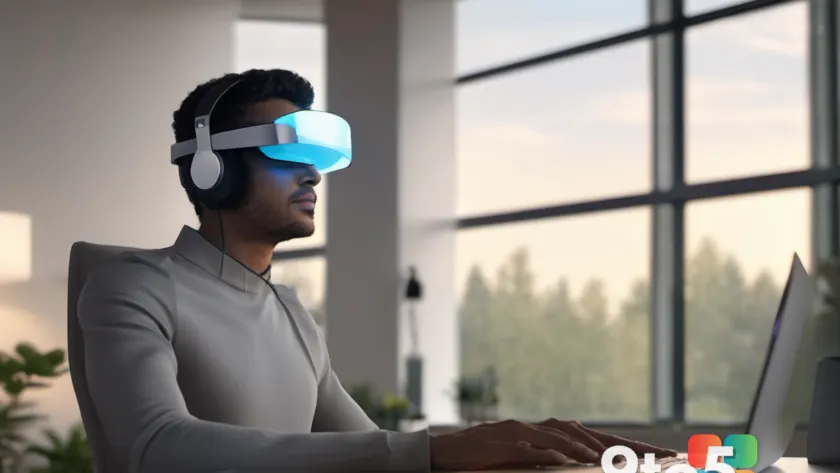
Microsoft is making its clearest sign yet that it hasn’t given up on mixed reality. The company is rolling out mic and camera streaming to Meta Quest headsets, adding onboard audio, physical passthrough video, and virtual avatars to turn the headset into a communication and collaboration tool for your Windows PC.
For anyone who assumed the Redmond software giant had quietly shelved its spatial computing ambitions, this update is a direct contradiction. The latest features lean squarely into the presence experience that mixed reality has always promised, and they’re being delivered through a connection to Windows machines.
What’s new in the Meta Quest update
The headline changes fall into three buckets: audio, video, and identity. Let’s break down each one.
Onboard audio means the headset’s built-in microphone now streams cleanly through the connection, so the person on the other end hears you without the tinny, compressed quality that plagued earlier attempts.
Physical passthrough video is the camera side of the equation. Instead of a fully virtual world, the headset can show the real room you’re sitting in as video. This is the same passthrough technology that powers augmented reality overlays, repurposed here for live video calls.
Virtual avatars round out the package, giving you a digital representation of yourself in the shared space rather than a flat video tile. This is the element that makes mixed reality feel like presence rather than just a screen share.
Mixed reality, reborn
This rollout lands against a backdrop that many people have now forgotten. In 2019, Microsoft ran its famous “Exit VR” campaign, pulling its consumer VR apps from the Windows Store and effectively abandoning the consumer spatial computing market.
Then, in 2022, the company quietly re-engaged with Meta, publishing the Mixed Reality Portal app to the Quest Store. That move signaled Microsoft was still interested in the space, even if it kept a low profile.
Today’s update feels like the next step in that re-engagement. Rather than a half-applied feature set, it’s a coherent trio of communication tools that make the Quest genuinely useful for everyday use.
How the pieces fit together
What ties these features together is the idea of using the Quest as a companion device to your Windows PC. Rather than running everything inside the headset, the streaming pipeline routes audio and video through the machine, which handles the heavier lifting.
That architecture matters because it lets Quest headsets plug into the apps and workflows people already use on their desktops. The headset becomes an input and output device for calls and meetings, not an isolated sandbox.
Microsoft’s framing suggests this is about collaboration more than gaming. Turning a headset into a communication and collaboration device is a shift toward the productivity space, where remote work tools have become a permanent fixture.
What this means for you
If you own a Meta Quest and work on a Windows PC, this update is directly relevant. The combination of clear audio, real-world video, and an avatar gives you a noticeably richer presence in virtual meetings than a laptop webcam ever offered.
For people who’ve been skeptical of mixed reality as a gimmick, the practical appeal is real: you can see the room you’re in and hear you clearly, while presenting a polished avatar to colleagues. It’s the middle ground between full immersion and the flat video calls most of us are used to.
There’s also a subtle shift here. By connecting Quest to Windows, Microsoft is embedding its spatial computing layer into the everyday productivity stack. The headset stops being a weekend hobby and becomes a legitimate peripheral, like a good microphone or a second monitor.
How to get it
As with most headset features, the update will arrive through the Quest software and the companion app that links the device to your PC. Users will likely need to have both the headset firmware and the Windows-side app updated to access the streaming pipeline.
Keep an eye on the Meta Quest settings and any companion app prompts for the rollout. If you’re planning to test the features early, make sure your PC meets the connection requirements before committing to a full setup.
One thing to watch: because audio and passthrough video route through your Windows machine, you’ll want to confirm how the connection behaves on older or lower-end hardware. Latency and battery life on the headset are the usual trade-offs when a feature depends on an external device.
Source: Neowin
Over to you: Would you bring a Quest to your next virtual meeting, or is a laptop webcam still good enough?