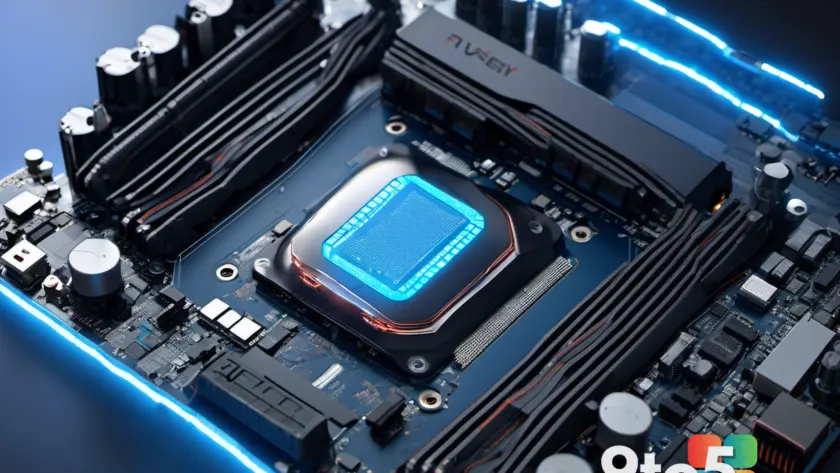
AMD has rolled out a fresh update to its platform driver lineup, officially bringing the AMD chipset driver version 8.08.12.551 to the public. The release addresses a specific hardware gap: it adds native support for the Ryzen AI Max processor family, which powers the company’s current flagship mobile workstations and high-end laptops. The update is compatible with both Windows 11 and Windows 10 systems, ensuring that users on Microsoft’s current and previous operating environments can run the new silicon without hitting compatibility walls.
What’s New in the Latest AMD Chipset Driver Update
According to AMD’s standard release cadence, chipset drivers serve as the foundational communication layer between the operating system and the motherboard’s platform controller hub. When AMD introduces a new processor architecture, the chipset driver must be updated before Windows can properly enumerate PCIe lanes, manage power states, and route interrupts correctly. Version 8.08.12.551 addresses that exact gap for the Ryzen AI Max lineup, which AMD markets under the Strix Halo and Hawk Point codenames.
The Ryzen AI Max processors are built on a hybrid architecture that pairs high-performance Zen cores with integrated Radeon graphics and a dedicated AI accelerator. Because these chips sit at the top of AMD’s mobile stack, they rely heavily on precise chipset-level scheduling to balance performance, power draw, and thermal output. Without the updated driver, Windows may fall back to generic Microsoft-supplied drivers, which can leave certain power management features disabled or cause the system to throttle prematurely under sustained loads.
AMD has not published a separate changelog for this specific build, which is consistent with how the company handles routine chipset driver rollouts. The primary deliverable remains the hardware enablement for the Ryzen AI Max family, alongside the usual background improvements to system stability and peripheral compatibility. Users who have already installed Windows 11 on affected hardware may find that the operating system pulls the update automatically through Windows Update, though manual installation remains the most reliable path for clean setups.
Why Ryzen AI Max Needs This Update
The Ryzen AI Max processors represent AMD’s push into the high-performance mobile workstation segment, directly competing with Intel’s Core Ultra HX series and Apple’s M-series chips. These processors integrate up to 16 Zen 4 cores, 40 RDNA 3 GPU compute units, and a 16-core NPU, all packaged on a single die with a massive 32MB of embedded VRAM. That level of integration demands a tightly tuned chipset driver to manage memory allocation, PCIe bandwidth, and thermal throttling thresholds.
From a technical standpoint, the Ryzen AI Max family uses a custom AMD 800-series mobile chipset architecture. The 8.08.12.551 build ensures that the OS correctly identifies the platform’s power delivery phases and adjusts voltage-frequency curves in real time. This is especially important for creators and developers running sustained workloads like video rendering, 3D compilation, or local AI inference, where improper power routing can trigger unexpected thermal throttling or system instability.
AMD typically rolls out chipset drivers through its official support portal, bypassing the slower Windows Update certification pipeline. This allows hardware partners and enthusiasts to access the latest platform firmware without waiting for Microsoft’s validation process. The move also means that OEMs shipping Ryzen AI Max laptops can pre-install this driver during manufacturing, ensuring a smoother out-of-box experience for consumers.
What This Means for You
If you are currently using a Ryzen AI Max laptop or desktop, this update is effectively mandatory for optimal performance. Without it, your system will likely operate on generic Microsoft drivers that lack the specific power management and PCIe tuning required for the silicon. In practice, you may notice longer wake times, inconsistent fan curves, or reduced battery life under heavy workloads.
For users considering an upgrade, this driver release signals that AMD has moved past the initial hardware enablement phase. The Ryzen AI Max lineup is now fully supported at the platform level, which typically precedes broader software optimizations from game developers and creative applications. If you are running Windows 10, you can still install the driver, though you should verify compatibility with your specific motherboard model before proceeding.
IT administrators managing a fleet of Ryzen AI Max workstations should note that this build is designed for manual deployment via SCCM, Intune, or a shared network drive. The driver package includes both the chipset INF files and the associated power management utilities, making it straightforward to push across multiple machines without relying on OEM-specific imaging scripts.

How to Get It
AMD hosts the 8.08.12.551 chipset driver directly on its official support website. You can navigate to the AMD Drivers & Support page, select your specific motherboard or laptop model, and download the chipset driver bundle for your operating system. The package is distributed as a self-extracting installer that walks you through the installation process, which typically takes less than five minutes.
Alternatively, Windows 11 systems with automatic updates enabled may receive the driver through Windows Update after a brief delay. If your system is already running a Ryzen AI Max processor and you want to verify whether the update is installed, open Device Manager, expand the System devices category, and look for the AMD Chipset Device driver. Right-click it, select Properties, and check the Driver tab to confirm the version matches 8.08.12.551.
Should you encounter any installation conflicts, AMD recommends performing a clean installation by uninstalling the previous chipset driver through the Add or Remove Programs menu before running the new installer. A system restart is required afterward to finalize the driver registration and apply the updated power management profiles.
Source: Neowin
Over to you: Are you planning to upgrade to a Ryzen AI Max laptop, or will you hold off until driver maturity catches up?