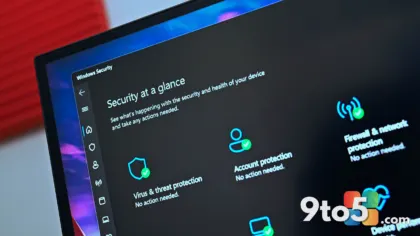
Microsoft is making a significant structural change to how users interact with its AI assistant ecosystem. According to reports from Thurrott.com, the company is preparing to unify its separate Consumer Copilot App and Microsoft 365 Copilot app into a single client. This new application will support both personal and work accounts, effectively ending the era of maintaining two distinct Copilot installations on the same device.
The Shift to a Unified Experience
For some time, Microsoft has maintained a clear boundary between its consumer and enterprise AI tools. The Consumer Copilot App was designed for personal use, offering quick access to generative AI features, while the Microsoft 365 Copilot app catered to enterprise subscribers, integrating deeply with Office applications and workplace data. This separation, while logical from a development and compliance standpoint, created noticeable friction for users who managed both types of accounts.
The upcoming unification signals a maturation in Microsoft’s Copilot strategy. By consolidating these tools into one binary, Microsoft is simplifying the deployment pipeline and reducing the cognitive load for users. Instead of navigating between two separate interfaces, switching contexts, or managing two distinct sets of permissions, users will interact with a single hub. This approach aligns with the broader industry trend of AI assistants becoming more context-aware and less siloed.
From a technical perspective, this move likely involves a shared underlying framework. Both apps already rely on similar core AI models and authentication mechanisms. Merging them allows Microsoft to streamline updates, reduce resource overhead, and ensure that feature parity is achieved faster across both consumer and enterprise tiers. The single client will presumably handle account switching internally, maintaining strict data boundaries between personal and work profiles while presenting a cohesive user interface.
What This Means for You
The most immediate impact of this Microsoft Copilot app unification will be felt by users who operate in hybrid roles. Remote workers, freelancers, students, and IT professionals who regularly switch between personal and organizational accounts will no longer need to keep two applications installed simultaneously. This reduces clutter in the Start menu, minimizes background resource usage, and eliminates the confusion of wondering which app to open for a specific task.
For enterprise environments, this change also simplifies management. IT administrators will deal with a single application package rather than coordinating separate consumer and business deployments. Security policies can be applied more uniformly, and support tickets related to Copilot installation or account configuration should decrease. The unified app will likely retain the robust account separation required for enterprise compliance, ensuring that personal data never leaks into work contexts and vice versa.
Users should also expect a more consistent feature rollout. Historically, new Copilot capabilities have sometimes launched in the consumer app before reaching the enterprise version, or vice versa. A unified codebase means that updates, new model integrations, and interface improvements will reach all users simultaneously, regardless of their subscription tier.
How to Get It
Microsoft has not yet announced a specific release date for the unified client, but the development timeline suggests it will arrive in the coming months. Based on the company’s standard distribution practices, the new app will almost certainly be available through the Microsoft Store. This ensures automatic updates and seamless integration with Windows 11’s system-level Copilot button.
Once the unified app is available, users can expect the existing Consumer Copilot and Microsoft 365 Copilot apps to be deprecated or automatically redirected. Microsoft typically handles these transitions by prompting users to download the new version when they launch the older one. It is advisable to keep your current Copilot apps updated until the migration path is officially announced, and to ensure your Microsoft account is properly linked to your organization if you use the enterprise features.
Enterprise admins managing large fleets should monitor official Microsoft 365 communication channels for detailed deployment guides. While the consumer app will likely update automatically, business deployments often require manual configuration or Group Policy adjustments to enforce the switch to the unified client.
The Broader Copilot Strategy
This unification is a key piece of Microsoft’s long-term vision to embed AI across every layer of its ecosystem. Since the rebranding of Bing Chat to Copilot, Microsoft has been aggressively consolidating its AI identity. The move to merge the apps reinforces the message that Copilot is not just a search tool or a chatbot, but a persistent assistant that works across all your digital life.
It also reflects the blurring lines between personal and professional computing. As cloud-based workspaces and personal devices converge, maintaining rigid app boundaries becomes increasingly impractical. By delivering a single client that respects data boundaries while offering unified access, Microsoft is positioning Copilot as the central nervous system for both your home and office workflows. This strategy strengthens the value proposition for both Copilot Pro subscribers and Microsoft 365 business customers, making the assistant indispensable regardless of how you use it.
Source: Thurrott.com
Over to you: Are you currently juggling both the Consumer Copilot and Microsoft 365 Copilot apps, and will the unified version simplify your daily workflow?
You may also like
 Microsoft Begins Rolling Out the Unified Copilot App, Merging Consumer and M365 Experiences
 Xbox August Update Rolls Out With Major Cloud Save and Game Hub Upgrades
 Xbox August Update Expands Xbox 360 Support and Wishlist Limits
 Windows 11 August Update Delivers a Dozen Practical Tweaks to File Explorer, Touchpad, and More