The 2-in-1 laptop market has undergone a quiet but significant transformation over the past few years. Where manufacturers once treated convertible designs as novelty items or strictly tablet-focused devices, the current generation of premium 2-in-1s leans heavily into the laptop experience while keeping tablet mode as a flexible bonus. The HP OmniBook X Flip 14 review confirms that this design philosophy is not only viable but increasingly necessary for consumers who want versatility without sacrificing typing comfort, port selection, or sustained performance. After spending extended time with the high-end configuration, it is clear that HP has crafted a device that prioritizes daily productivity above all else, even if certain hardware choices leave it trailing behind the latest competitors in raw graphical throughput.
At its core, this device represents HP’s broader strategic pivot under the OmniBook branding. Replacing the former Spectre and Envy lines for premium segments, the OmniBook X series is designed to compete directly with Microsoft’s Surface Pro lineage, Lenovo’s Yoga 9i, and Dell’s XPS 13 2-in-1. The Flip 14 variant specifically targets professionals and creatives who need a single machine that can transition seamlessly between desk-bound productivity and on-the-go consumption. However, as with any hardware evaluation, the devil resides in the configuration details, and the model we tested reveals both the strengths of this approach and the compromises that come with choosing AMD’s current integrated graphics ecosystem.
Design and Build Quality: A Luxurious 2-in-1 Experience
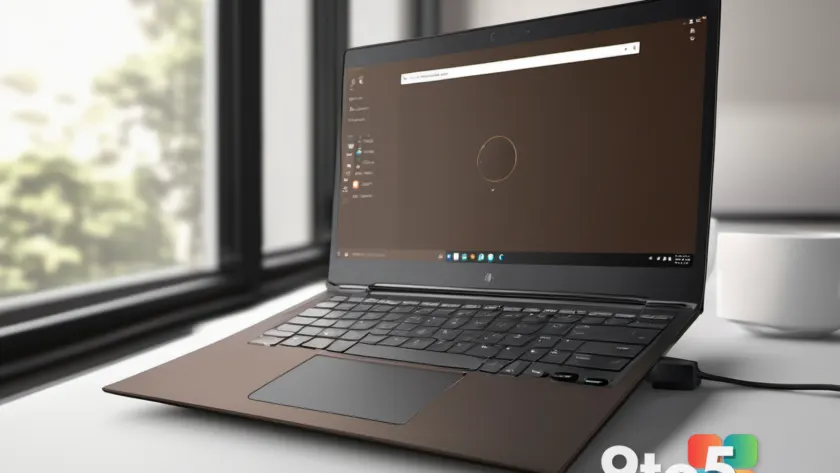
The first thing that registers when unboxing the HP OmniBook X Flip 14 is the finish. HP offers this model in a deep chocolate-coffee tone it calls “Deep Espresso,” alongside a more conventional “Atmospheric Blue.” The Deep Espresso variant stands out in a market saturated with silver, gray, and black chassis. It manages to feel distinctly premium without veering into ostentatious territory, thanks to a matte, fingerprint-resistant coating that diffuses light rather than reflecting it. From an industrial design standpoint, this is a smart move. It differentiates the device on a desk or in a coffee shop without relying on RGB lighting or aggressive angular cuts that appeal to a narrower gaming demographic.
Beneath the aesthetic appeal lies a chassis constructed primarily from aluminum. The material choice is standard for this price tier, but HP has tuned the hinge mechanism with notable precision. The display opens smoothly with one finger yet locks firmly in place once fully extended, eliminating the dreaded “screen flop” that plagues cheaper convertibles. The 360-degree hinge allows the device to fold completely flat, transforming it into a tablet. While the 14-inch form factor and 3.09-pound weight make it slightly less ideal for prolonged one-handed reading compared to an iPad or a 13-inch convertible, the structural rigidity ensures there is minimal flex in the screen panel or keyboard deck when pressure is applied. This is a critical detail for users who frequently switch between laptop and tablet modes throughout the day.
The keyboard deck features a spacious palm rest, which is a welcome inclusion on a 14-inch device. The keys themselves are generously sized, with a beveled edge design that guides finger placement naturally. Travel is deep enough to provide tactile feedback, and the bottom-out action is firm without being jarring. There is a slight hollow resonance when typing at speed, which is common in ultra-thin aluminum chassis due to the lack of sound-dampening foam beneath the deck. It is not distracting, but it is noticeable in a quiet room. The touchpad measures approximately five inches wide and just over three inches deep, adhering to the standard dimensions for this class. It lacks a glass surface or haptic feedback, relying instead on a shallow physical click mechanism. While it tracks accurately and supports Windows precision gestures, it does not match the premium feel of glass touchpads found in higher-tier competitors.
One of the most pragmatic design decisions HP made is the complete absence of side-mounted power or volume buttons. Some 2-in-1 manufacturers add these to facilitate tablet-mode navigation, but they often interfere with port access or trigger accidental inputs when docking the device. By keeping the sides clean and reserving controls for the keyboard and on-screen interface, HP has prioritized the laptop experience. This aligns with the broader industry trend: the tablet mode is a feature, not the primary use case. For most users, the Flip 14 will spend 90 percent of its life in clamshell mode, and the design reflects that reality.
Display and Audio: OLED Visuals Meet Practical Compromises
Display technology has become one of the most critical differentiators in premium laptops, and HP has structured the OmniBook X Flip 14’s options to cater to different priorities. Buyers can choose between a 1920×1200 IPS-LCD, a 1920×1200 60Hz OLED, or a 2880×1800 120Hz OLED. The configuration we tested includes the middle option: the 1920×1200 60Hz OLED touchscreen. For most users, this is the sweet spot in terms of value, though it comes with specific trade-offs that are worth understanding before purchasing.
OLED panels inherently offer perfect blacks and an expansive color gamut, typically covering 100 percent of the DCI-P3 spectrum. The result is a viewing experience that feels vibrant and high-contrast, particularly when consuming media or editing photos. Text clarity is sharp at 1920×1200 on a 14-inch panel, thanks to a pixel density of approximately 163 PPI. However, the 60Hz refresh rate is a notable limitation in 2026. While Windows 11 handles lower refresh rates gracefully, users transitioning from 90Hz or 120Hz displays will notice a lack of smoothness in scrolling and cursor movement. The higher-tier 120Hz OLED option mitigates this, but it requires spending an additional $130 over the base OLED model.
Brightness is where this display configuration reveals its practical constraints. HP quotes a peak brightness of 300 nits, and real-world testing confirms it hovers just above that threshold. In a dimly lit room, the screen is perfectly adequate. Outdoors or near a bright window, however, the reflective coating on the panel competes with ambient glare, making content harder to read. This is a common limitation across OLED laptop panels due to power efficiency trade-offs, but it is still a factor to consider if you frequently work in variable lighting conditions. The 400-nit peak brightness that some competitors offer would provide a meaningful edge in those scenarios.
Audiowise, the OmniBook X Flip 14 employs downward-firing speakers augmented by HP Audio Boost. The maximum volume is sufficient for a home office or small meeting room, and midrange clarity is clean enough for podcasts and music. However, the low-end response is restrained, and the soundstage lacks the width and dynamism found in devices like the Lenovo Yoga 9i or Apple’s MacBook lineup. For casual listening, it is perfectly serviceable. For users who prioritize immersive media consumption, an external speaker setup or quality headphones remain the better path.
It is worth noting that HP’s display upgrade pricing is unusually transparent compared to industry norms. Upgrading from the IPS-LCD to the OLED adds just $50, while jumping to the 2880×1800 120Hz panel costs an additional $130. In an era where memory and storage upgrades often carry exorbitant markups, these display options represent genuine value. If your workflow involves photo editing, media consumption, or extended text reading, the OLED upgrade is almost certainly worth the minimal premium.
Performance Benchmarks: CPU Strengths and GPU Weaknesses
The configuration we evaluated sits at the top of the OmniBook X Flip 14’s hardware ladder, featuring an AMD Ryzen AI 9 465 processor, 32GB of LPDDR5x-8533 memory, and a 2TB PCIe Gen 4.0 NVMe SSD. This setup targets users who need sustained multi-threaded performance for development, data processing, or content creation. To understand where this machine stands in the current landscape, it is necessary to look at how the Ryzen AI 400 series competes against Intel’s Core Ultra Series 3 and Qualcomm’s Snapdragon X platforms.
In PCMark 10, a benchmark that evaluates overall system responsiveness for everyday tasks, the OmniBook X Flip 14 scored 8,226. This places it firmly in the mid-range of its peers, sandwiched between the HP OmniBook Ultra 14 and the MSI Prestige Flip 14 AI+. The result indicates that general productivity tasks, web browsing, and office applications will feel instantaneous. There is no perceptible lag when switching between applications or loading large spreadsheets. However, PCMark 10 also includes graphics-heavy sub-tests, which is where the integrated Radeon 880M GPU begins to show its age.
Cinebench 2024, which stresses multi-threaded CPU performance, reveals a more nuanced picture. The Ryzen AI 9 465’s 10 cores and 20 threads deliver healthy scores that comfortably outpace several Intel Core Ultra X7 configurations. It does, however, fall behind the Intel Core Ultra X9 388H found in the OmniBook Ultra 14, which benefits from a higher core count and more aggressive power delivery. The performance gap is measurable but rarely translates to a frustrating user experience. For compiling code, rendering video exports, or running virtual machines, the Flip 14 handles workloads efficiently, though it may trail slightly behind maxed-out Intel equivalents in sustained heavy loads.
The GPU situation is where the HP OmniBook X Flip 14 review uncovers its most significant compromise. The Radeon 880M was a standout integrated graphics solution when it launched, offering performance comparable to entry-level discrete GPUs. However, Intel’s Arc B390 graphics, paired with the Core Ultra Series 3 processors in competitors like the Acer Swift X 14 AI, have closed the gap considerably. In 3DMark benchmarks, the OmniBook X Flip 14 trails Intel’s Arc B390 solutions by approximately 15 to 40 percent depending on the test scenario. This is not a marginal difference. Users attempting to play modern titles at medium settings or run GPU-accelerated creative applications will notice the disparity. The Radeon 880M remains capable of light gaming and casual video editing, but it no longer holds a leadership position in the integrated graphics space.
Storage performance benefits from the PCIe Gen 4.0 NVMe interface, delivering fast sequential read and write speeds that align with the SSD’s theoretical maximums. Boot times are swift, and large file transfers complete quickly. The 2TB capacity provides ample room for operating system files, applications, and media libraries, though users with extensive local databases or massive video projects may eventually need external storage solutions.
Connectivity and Ports: Modern Standards Without Compromise
Port selection has become a defining factor in laptop purchasing decisions, especially as dongle-dependent designs dominate the ultra-thin segment. The HP OmniBook X Flip 14 takes a pragmatic approach by offering a balanced mix of legacy and modern connectivity. On the left side, you will find two USB-C ports supporting 40Gbps data transfer, Power Delivery charging, and DisplayPort 2.1 output. On the right, two USB-A ports provide 10Gbps connectivity, alongside an HDMI 2.1 port and a 3.5mm combo audio jack.
The inclusion of dual USB-C ports with DisplayPort 2.1 is particularly valuable for professionals who connect to external monitors. DisplayPort 2.1 supports higher bandwidth than previous iterations, enabling dual 4K displays at 60Hz or a single 8K display at lower refresh rates without the need for display stream compression. The 40Gbps data rate ensures that external NVMe enclosures and high-speed docking stations can operate at full potential. Meanwhile, the USB-A ports accommodate older peripherals, flash drives, and mice without requiring adapters, which remains a thoughtful inclusion for users who have not fully transitioned to USB-C accessories.
Wireless connectivity is handled by a Wi-Fi 7 module and Bluetooth 6.0. Wi-Fi 7 (802.11be) represents the latest generation of wireless standards, offering improved throughput, lower latency, and better performance in congested network environments through multi-link operation. For users with a compatible router, this future-proofs the device against upcoming network upgrades. Bluetooth 6.0 brings minor improvements in audio codec support and connection stability, though the practical differences from Bluetooth 5.3 are subtle for most consumers.
The absence of an Ethernet port is notable but expected for a 14-inch convertible. Modern office environments and home networks rely heavily on wireless infrastructure, and the Wi-Fi 7 implementation more than compensates for the lack of a wired connection. Users who require guaranteed bandwidth for large file transfers or competitive gaming can easily bridge the gap with a USB-C to Ethernet adapter, which draws power from the port itself.
Biometric authentication is handled through a 5MP infrared camera that supports Windows Hello facial recognition. A physical privacy shutter covers the lens when not in use, addressing security concerns for business users. The camera performs well in adequate lighting, producing sharp images with accurate color reproduction. In low-light conditions, noise becomes more apparent, which is typical for integrated webcam sensors of this class. The dual microphone array captures clear audio for video conferences, though the sound can occasionally exhibit a hollow quality at higher volumes. Overall, the webcam and microphone combination is functional and reliable for daily remote work.
What This Means for You
The HP OmniBook X Flip 14 is not attempting to be the fastest or most portable 2-in-1 on the market. Instead, it carves out a niche by emphasizing build quality, display vibrancy, and a comprehensive port selection. If your primary use case involves office productivity, web-based workflows, media consumption, and occasional creative tasks, this device delivers a polished experience that justifies its premium positioning. The OLED panel provides a visual upgrade that is immediately noticeable, and the aluminum chassis ensures the laptop feels durable enough for daily commutes and travel.
However, the decision to pair the Ryzen AI 9 465 with the Radeon 880M integrated graphics means this machine is not optimized for users who rely on GPU-intensive applications. If you regularly edit 4K video, run machine learning models locally, or play modern games, the 15 to 40 percent performance gap against Intel Arc B390 solutions will be apparent. In those scenarios, the Acer Swift X 14 AI or other Intel-equipped convertibles may offer better value, despite potentially sacrificing some of the OmniBook’s build refinement.
Battery life is another consideration. The 59 watt-hour cell delivers over 14 hours in standardized video playback testing, which is respectable but not class-leading. AMD’s Ryzen 300 and 400 series chips have historically trailed Intel Core Ultra Series 3 and Qualcomm Snapdragon X platforms in power efficiency. While 14 hours will comfortably cover a standard workday, users who need all-day battery life without seeking an outlet may find the 70 watt-hour option (available only with the 120Hz OLED) more suitable, though it adds weight and cost.
Ultimately, the OmniBook X Flip 14 succeeds by focusing on the fundamentals: a sturdy chassis, a vibrant display, and a thoughtful port layout. It is a device that respects the laptop form factor while keeping tablet versatility in reserve. For professionals who value build quality and connectivity over raw graphical performance, it remains a compelling choice in a crowded premium segment.
How to Get It
The HP OmniBook X Flip 14 is available through HP’s official website and major retail partners. The configuration we reviewed, equipped with the Ryzen AI 9 465, 32GB of RAM, 2TB SSD, and 1920×1200 OLED display, carries an MSRP of $2,529.99. HP frequently runs promotions that reduce the price to approximately $2,279.99, making it a more accessible option for budget-conscious buyers. Entry-level configurations starting with the AMD Ryzen AI 5 processor and 16GB of RAM begin at $1,299.99, with sale pricing occasionally dipping below $1,000. These base models retain the same chassis design and OLED display option, meaning the premium build quality is available across the lineup.
When configuring your order, the most impactful upgrade is the display. The $50 jump to the 1920×1200 OLED panel is almost universally recommended, as the IPS-LCD option lacks the contrast and color accuracy that define the OmniBook X experience. The $130 upgrade to the 2880×1800 120Hz OLED is worthwhile if you prioritize smooth scrolling and higher resolution for detailed work, though it pairs exclusively with the 70 watt-hour battery. Storage and memory upgrades are soldered or limited in this generation, so selecting your desired capacity at purchase is essential.
HP also offers an optional active stylus for tablet-mode interaction, though it is sold separately and not included in the box. If you plan to utilize the Flip 14’s convertible functionality for note-taking or annotation, budgeting for the stylus is a practical addition. Overall, the OmniBook X Flip 14 represents a mature, well-rounded option in the premium 2-in-1 category, with its primary trade-offs centered on integrated graphics performance and battery efficiency rather than fundamental design flaws.
Source: PCWorld
Over to you: Are you prioritizing the OLED display and premium build, or will you wait for the next generation of integrated graphics?