When Microsoft pushed the industry toward Copilot+ PC, the promise was clear: longer battery life, faster wake times, and on-device AI processing. The HP OmniBook Ultra 14 review confirms that HP has taken that mandate seriously, delivering a machine that feels less like a testbed for new silicon and more like a polished, ready-to-use daily driver. According to Thurrott.com, the device earns praise as a nearly perfect laptop, striking an ideal balance between hardware execution and software integration.
A Refined Design Meets Modern Architecture
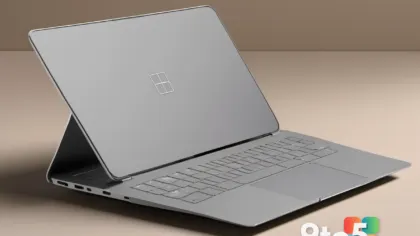
HP has long been a steady presence in the premium laptop space, and the OmniBook Ultra 14 continues that tradition with a chassis that prioritizes durability without adding unnecessary bulk. The build quality relies on tightly mated materials that resist flex, while the hinge design maintains consistent tension over repeated open-and-close cycles. For users who commute or work from multiple locations, that structural integrity translates directly to long-term reliability.
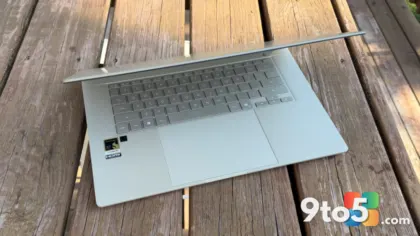
Beyond the chassis, the input devices are calibrated for extended typing sessions. The keyboard offers a balanced key travel with a tactile response that reduces fatigue, and the trackpad surface provides consistent glass-like tracking without accidental palm rejection failures. Display tuning leans toward accurate color reproduction rather than aggressive saturation, which benefits professionals who edit photos, write code, or manage spreadsheets where color fidelity matters.
Snapdragon X2 Powers the Copilot+ PC Experience
At the core of this machine sits the Qualcomm Snapdragon X2 processor, a chip designed specifically for the modern Windows ecosystem. Unlike previous ARM-based attempts that relied heavily on emulation to run legacy applications, the X2 series integrates a dedicated Neural Processing Unit (NPU) alongside high-efficiency CPU cores. This architecture allows Copilot+ PC features to run entirely on-device, meaning tasks like Live Captions, Recall, and Cocreator do not depend on cloud connectivity for basic operation.
The practical result of this silicon shift is noticeable in power management. Because the ARM architecture requires less voltage to maintain performance per watt, thermal throttling becomes less of a factor during sustained workloads. Users will likely notice that the fan remains quiet during standard productivity tasks, and the system maintains consistent performance even when unplugged. This is a meaningful distinction for anyone who previously avoided ARM laptops due to battery anxiety or performance drops when disconnected from a power source.
Software compatibility has also matured. Microsoft and major application developers have prioritized native ARM64 support for their core products, reducing the need to rely on x86 emulation layers. When you launch your existing toolkit, the OS handles translation in the background with minimal latency, preserving the seamless experience that defines the Copilot+ PC standard.
What This Means for You
The immediate takeaway from this evaluation is that ARM-based Windows laptops have crossed a threshold. The HP OmniBook Ultra 14 no longer requires users to compromise on build quality, keyboard comfort, or AI feature availability. If your workflow relies on web-based tools, Microsoft 365, media consumption, and lightweight creative tasks, this machine operates as a complete package rather than a niche experiment.
For IT administrators managing device rollouts, the consistent power efficiency simplifies battery life projections across a fleet. Users will not need to hunt for outlets between meetings, and the reduced thermal output allows for thinner chassis designs without sacrificing sustained performance. The on-device NPU also opens doors for future enterprise AI integrations that keep sensitive data local rather than routing it through third-party cloud services.
How to Get It
HP typically distributes the OmniBook Ultra line through its official storefront, major electronics retailers, and business-to-business channels for volume licensing. Because the device ships with Windows 11 preinstalled and includes the necessary Copilot+ PC hardware requirements, no manual OS migration or driver updates are needed out of the box. Users should verify that their existing peripherals, particularly older USB-A devices or specialized docking stations, have native ARM64 drivers available, though most modern accessories operate without issue.
Given that this model represents a generational shift in Windows hardware, early adopters will find the most competitive pricing during initial launch windows. As the Snapdragon ecosystem expands across competing OEMs, price adjustments and bundle promotions tend to follow. Monitoring authorized resellers during seasonal sales cycles will likely yield the most favorable entry point for those evaluating a switch from traditional x86 architectures.
Source: Thurrott.com
Over to you: Are you switching to an ARM-based laptop for the battery life, or sticking with Intel and AMD?
You may also like
 Dell 16S Review: Premium Build and OLED Panel Can’t Mask Performance Gaps
 Beast of Reincarnation Review: Game Freak Breaks Free From the Pokémon Shackles
 Asus ProArt MD301 Review: 180-Day Battery Life for $100 Makes It a Student Staple
 Harymor BS-D01 Smart Bird Bath Review: A Window to Nature for Office Workers