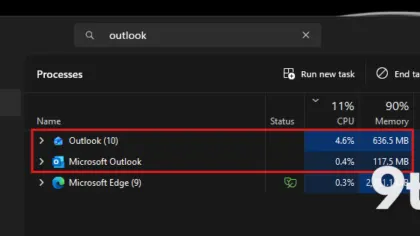
When you install one of the monthly updates, particularly a Patch Tuesday release on the second Tuesday of the month, you expect no more than one reboot. But it looks like something has changed, and your device could occasionally reboot twice to finish installing large updates, including the July 2026 Update.
When I installed the April 2026 Update, I noticed that my PC rebooted twice. When I asked Microsoft, I was told it could happen due to Secure Boot, but that’s not the only reason.
I observed similar behavior when installing the July 2026 Update (KB5101650) on a PC where the Secure Boot certificate update had already been applied. This time, it wasn’t Secure Boot, but the .NET Framework update.
#1 The .NET Framework Trigger
Windows 11 may reboot once to install the monthly Patch Tuesday update and then reboot again to finish installing a separate .NET Framework or Secure Boot update.
This does not mean Windows 11 PCs will reboot multiple times to install updates every month. It could happen once or twice a year, or perhaps more often if you have different versions of .NET Framework installed, and the Secure Boot certificate is not getting updated due to one of the compatibility issues.
In practice, the .NET Framework operates as a foundational component for many Windows applications. When Microsoft bundles a .NET Framework update within a monthly Patch Tuesday release, the system must unload the existing framework files before applying the new ones. Because these files are locked by running processes, Windows cannot replace them while the operating system is active. This forces a second restart to complete the file replacement and register the new framework version with the system registry.
In either case, whether it’s due to a pending Secure Boot update or a large Windows update that includes Patch Tuesday and .NET Framework updates, do not panic or press the power button if Windows reboots multiple times. Let it finish installing the changes, which could easily take longer than ten minutes.
#2 The Secure Boot Certificate Rollout
Windows Latest understands that the July 2026 .NET Framework update, if applicable to your PC, may require a separate reboot.

Not all .NET Framework updates require a separate reboot, but some do, and the July 2026 Update was one of those releases. If the Secure Boot certificate update has already been applied to your PC, .NET Framework is most likely the reason it rebooted twice this month.
In other cases, Windows Update may reboot multiple times to apply the Secure Boot 2023 certificate update. But support for the old Secure Boot certificates ended in June 2026, and Microsoft deployed the updated certificates across all supported PCs, right? Well, no. We’re still not there.
Microsoft previously stated that it expected to finish deploying the Secure Boot updates by June 2026, but an updated statement suggests that the rollout is still underway. The company also promised that PCs without the required Secure Boot 2023 update will continue to run normally, and you don’t have to worry about it.
“Microsoft has been updating these certificates on PCs and non-managed business devices for the past months,” Microsoft explained in an updated statement. “Devices that haven’t received the newer certificates will continue to start, and standard Windows updates will continue to install. We will continue to install the newer certificates via Windows updates in the coming months”
#3 Event Viewer and SCEP Errors
It is also worth noting that Microsoft has strictly warned against delaying updates for more than three days, and these updates are only going to grow in size as AI-assisted vulnerability detection finds more security flaws. Microsoft says it patched more than 570 major security issues in Windows.
For now, you’ve to bear with multiple reboots. It’s a bit ironic that Microsoft has promised Windows will require only a single reboot a month, but we’re currently seeing the opposite.
Those “fewer reboot” changes are not live yet, but once they roll out, you can expect Windows to reboot no more than once a month unless you install one of the optional preview updates.
What This Means for You
On some PCs, you might notice that Event Viewer is logging SCEP certificate-related errors, particularly after the July 2026 Update. If you are affected, try checking Event Viewer, and you will have a log specifically for SCEP certificate failure.
The AIK, or Attestation Identity Key, is associated with the PC’s Trusted Platform Module and can be used by Windows to prove that the device is trustworthy.
Windows requests the certificate through SCEP, which stands for Simple Certificate Enrollment Protocol. In this case, error code 0x801901ad simply points to the HTTP 429 error, which means too many requests.
It is possible that the July 2026 update has caused some Windows installations to renew, validate, or request TPM attestation certificates again after installation or during a later startup. You don’t have to worry about it, and you can safely ignore the error, as the Windows update will eventually apply the required certificate changes.
What to Do
For now, you just need to let the updates finish. Do not force a shutdown or hold the power button. If you see the SCEP error in Event Viewer, simply ignore it; it is a rate-limiting issue, not a critical system failure. Keep your PC updated to benefit from the latest security patches and the upcoming single-reboot improvements.
Source: Windows Latest
Build details:
- kb5101650
Over to you: Are you seeing double reboots on your Windows 11 PC this month, or has yours stayed to a single restart?
You may also like
 OneDrive blocks screenshots of sensitive PDFs in Edge, but there is a catch
 Windows 11 26H1 Experimental Build 28120.2546 Adds Braille Display Support and Expanded Language Options
 Firefox on Windows 11 Finally Opens New Tabs in the Background, Matching Chrome and Edge
 Windows Insider Program Pushes New Builds for July 20, 2026