Nvidia has released a free beta tool that lets you assemble an AI inferencing cluster from the PCs sitting around your home network, all managed from a single interface. Nvidia PAIR, as the software is officially called, connects devices running Windows, macOS, or Linux so they can process AI workloads together while keeping your data local and private.
While Nvidia is positioning PAIR primarily as a home-user tool, the underlying idea of pooling idle desktop compute could find takers among enterprises that have spare machines gathering dust in corners.
What Nvidia PAIR actually does
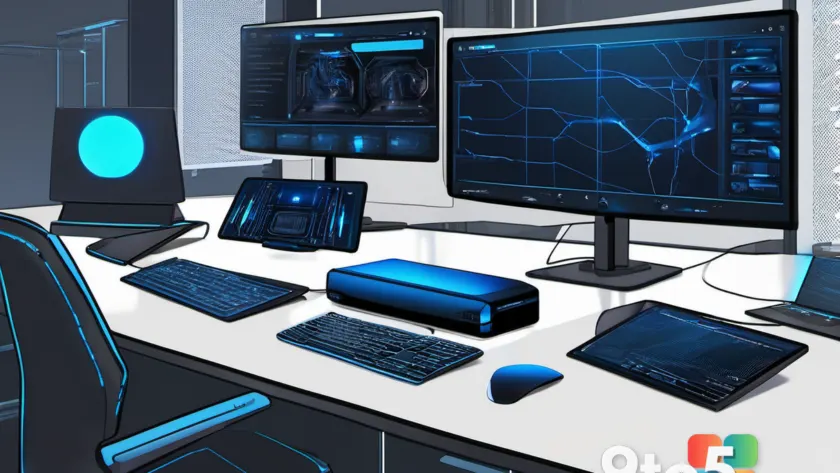
At its core, PAIR takes the concept of a server-grade AI cluster and shrinks it down to something a regular person could set up on their own network. Instead of relying on cloud services or a single powerful machine, you can combine the GPU power of several existing computers to run AI inferencing tasks—in other words, the phase where a trained model actually makes predictions or generates output.
All of the connected machines are visible and controllable through one interface, so you aren’t juggling separate terminals or configurations for each PC. Nvidia says the workloads run privately, meaning the inference happens on your own hardware rather than being shipped off to a remote data center.
The tool is currently available only as a beta, which is worth keeping in mind if you’re planning to lean on it for anything beyond experimentation.
Which devices and GPUs are supported
Nvidia has been fairly specific about what you can plug into a PAIR cluster. According to the company’s announcement, the software works with three main categories of hardware:
- DGX Spark desktop supercomputers—Nvidia’s compact, self-contained AI machine that went on sale earlier this year but has been notoriously hard to find.
- PCs containing RTX GPUs—the company’s GeForce and professional graphics cards that support AI acceleration.
- Some macOS devices—Apple machines with Nvidia’s AI-friendly silicon, though the exact list of supported models isn’t spelled out in the summary.
The cross-platform reach is notable: because PAIR supports Windows, macOS, and Linux, you don’t have to homogenize your entire setup to build a cluster. You can mix and match machines from different ecosystems on the same network.
How PAIR distributes work across machines
One important technical detail is that the systems in a PAIR cluster run tasks in parallel, but Nvidia is clear that it does not fuse them into a single virtual GPU. That distinction matters for what you can actually do with the setup.
In practice, this means PAIR is better suited to handling multiple independent AI jobs at once—splitting different inferencing requests across your available machines—rather than giving you one giant pooled graphics chip that a single application could use for something like a massive training run or a game rendered across every screen in your house.
Think of it more like a small farm of workers each handling their own batch, rather than a single super-worker. That framing helps set realistic expectations for what a homegrown cluster can accomplish.
What this means for you
For the average home user, PAIR opens the door to running larger or more demanding local AI models than any single PC might manage on its own, without paying for cloud inference or shipping your data to a third party. If you’ve got an older RTX PC, a DGX Spark, and a Mac all sitting on your network, they can theoretically contribute to the same workload.
For enterprises, the appeal is a bit different: turning idle desktop compute capacity to productive use. Companies with fleets of machines that sit dormant after hours could, in principle, network them together to handle background AI tasks—though IT teams would want to wait for the beta to mature before wiring anything into a production environment.
The privacy angle is worth flagging too. Because everything runs on your own hardware, PAIR could be attractive to users and organizations that want to keep AI workloads off public clouds for regulatory or data-sovereignty reasons.
How to get Nvidia PAIR
The beta version of Nvidia PAIR is available for download now, according to Nvidia’s own site. You can find it on the company’s dedicated Personal AI Router page and install it on your supported machines to start building a cluster.
Because it’s still in beta, treat it as an early look at the technology rather than a finished product. If you’re curious about pooling your own hardware for local AI, it’s a low-risk way to try—being free and optional means you can experiment without committing.
Source: Computerworld
Over to you: Will you try pairing your own PCs into an AI cluster, or do you prefer keeping your AI in the cloud?