Microsoft has marked a major milestone for its testing community. To celebrate 12 years of the Windows Insider Program, the company has released a special set of 10 new Windows Insider wallpapers, available for download right now.
These wallpapers aren’t just a decorative treat — they tie back to the program’s early days, when testers got exclusive access to builds, themes, and wallpapers before anyone else. This year’s set keeps that tradition alive.
A 12-year milestone for the Insider Program
The Windows Insider Program launched in 2014, giving a growing community of enthusiasts, developers, and businesses a chance to try Windows builds months before they reached everyday users. Over the past dozen years, it has become the primary way Microsoft gathers real-world feedback on everything from new features to bug fixes.
Insiders are organized into channels that control how early they receive updates. The Dev Channel gets the freshest, most experimental builds, while the Beta Channel and Release Preview Channel offer progressively more stable previews closer to a public release. Each step lets Microsoft catch problems before a wider audience does.
Reaching 12 years is a notable stretch for any software testing program, and it reflects how central Insiders have become to Microsoft’s development cycle. The company has used the program to shape major releases, including the redesigned Windows 11 interface and its ongoing AI features.
What are the new Windows Insider wallpapers?
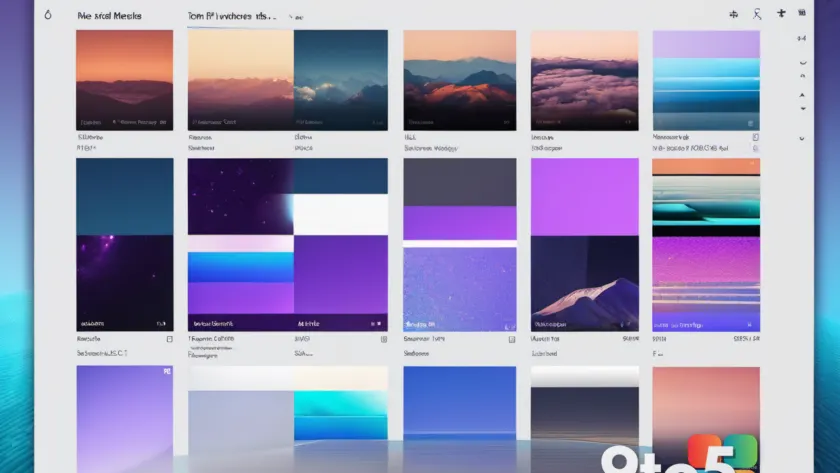
The centerpiece of this year’s celebration is a set of 10 wallpapers, each designed to mark the anniversary. Microsoft has made them available for download through a dedicated page, so Insiders can grab the full collection in one place.
While Microsoft hasn’t published a detailed breakdown of each individual image, the wallpapers continue the program’s long tradition of offering Insiders exclusive visual content. Historically, these images have ranged from abstract gradient designs to more detailed artwork, all carrying a distinct Insider flair.
The set is aimed at anyone who wants to personalize their PC with something tied to the testing community. Whether you’re a daily Insider on the Dev Channel or just someone who appreciates a fresh desktop, the collection gives you a way to mark the occasion.
How to download the Windows Insider wallpapers
Getting the wallpapers is straightforward. Microsoft has posted them on a dedicated download page, so you just need to visit the page and grab the images you want.
Once downloaded, you can set any of them as your desktop background through Windows personalization settings. Right-click the image and choose “Set as desktop background,” or open Settings and browse to the downloaded file under the Personalization > Background section.
The wallpapers are also handy for use as lock screen images or as reference backgrounds if you’re putting together a demo or presentation about the Insider Program.
What this means for you
For most Windows users, these wallpapers are a free, low-commitment way to participate in a program that normally asks for something in return. Insiders trade privacy and stability for early access, so a set of wallpapers is a nice, no-cost way to celebrate without installing anything.
Even if you don’t plan to join the Insider Program, the wallpapers are open to download, making them an easy way to freshen up your desktop for the anniversary.
From an editorial standpoint, the release is a reminder of how far the program has come. Twelve years of testing has shaped the Windows you use today, and these wallpapers are a small nod to everyone who helped get there.
The tradition of Insider wallpapers
Exclusive wallpapers have been a staple of the Insider Program for years. Since the program’s early days, Microsoft has handed out wallpapers to testers as a way to reward participation and build a sense of community among people who are otherwise just getting buggy pre-release software.
This year’s 10-image set fits that pattern while marking a specific anniversary. It’s the kind of small perk that keeps Insiders engaged between builds, and it gives long-time testers a tangible way to celebrate the program’s history.
If you’ve collected Insider wallpapers over the years, this set is another one to add to the bunch. And if you’re new to the program, it’s a friendly entry point into a community that’s been shaping Windows for over a decade.
Source: Neowin
Over to you: Have you collected Windows Insider wallpapers over the years, or is this set the first one you’re grabbing?
You may also like
 Microsoft Ends Native XSLT Support in Edge, Giving Enterprises a Narrow Window to Adapt
 Microsoft Edge is rethinking updates for faster protection and fewer interruptions
 Microsoft Wants Copilot for Legal Teams to Handle Sensitive Work
 Microsoft Edge is working on silent updates that install patches in the background