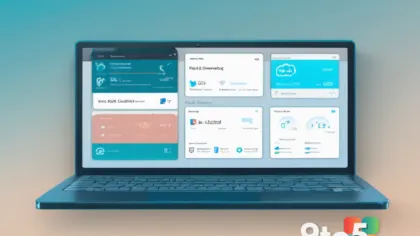
Microsoft has officially introduced a new Windows 11 IT admin tool that has been described as a potential “game changer” for enterprise environments. The announcement addresses a long-standing demand from system administrators and IT professionals who have sought more streamlined methods for managing device configurations, updates, and compliance across large-scale deployments. According to the initial report, this release marks a significant step in Microsoft’s ongoing efforts to modernize its enterprise management ecosystem.
For years, IT administrators have relied on a combination of Group Policy, Configuration Service Providers, and third-party management suites to maintain control over Windows endpoints. While these tools have served the industry well, the rapid evolution of Windows 11 and the increasing complexity of hybrid work environments have highlighted gaps in traditional management workflows. This new utility aims to bridge those gaps by offering a more integrated and efficient approach to administrative tasks.
Why This Tool Has Been in High Demand
The request for a dedicated, modern management utility has echoed through enterprise IT communities for some time. Administrators frequently cite the fragmentation of management options as a primary pain point. When deploying Windows 11 across diverse hardware configurations, IT teams often spend considerable time scripting, troubleshooting policy conflicts, and manually verifying compliance settings. A centralized tool that consolidates these functions directly into the operating system’s management framework reduces the overhead associated with legacy processes.
Furthermore, the shift toward cloud-integrated management has accelerated the need for tools that can seamlessly interact with both on-premises infrastructure and modern endpoint management platforms. By addressing these structural challenges, Microsoft is positioning this release as a foundational update for enterprise IT operations rather than a minor feature addition.

Key Capabilities and Administrative Impact
While specific technical specifications continue to be detailed in official documentation, the core promise of this Windows 11 IT admin tool revolves around efficiency and control. Early insights suggest that the utility provides administrators with a more intuitive interface for configuring device policies, monitoring deployment status, and applying updates with greater precision. This level of granularity is critical for organizations that must balance user productivity with strict security and compliance requirements.
In practice, this means that IT teams can expect reduced deployment times and fewer manual interventions during large-scale rollouts. The tool is designed to minimize the risk of configuration drift, a common issue where devices gradually deviate from standardized settings due to incomplete updates or policy overrides. By enforcing consistency at a deeper level, the utility helps maintain a secure and uniform computing environment across the organization.
What This Means for Enterprise Deployments
For organizations planning Windows 11 migrations or ongoing maintenance cycles, this announcement carries substantial operational implications. The introduction of a dedicated management utility signals Microsoft’s commitment to supporting enterprise customers with tools that match the complexity of modern IT infrastructure. It also suggests that future Windows updates may increasingly prioritize administrative functionality alongside consumer-facing features.
From a strategic standpoint, this tool could influence how IT departments structure their management workflows. Teams that previously relied heavily on external management platforms may find that certain tasks can now be handled more efficiently through native OS capabilities. This shift could lead to cost savings and a simplified technology stack, allowing IT professionals to focus on higher-level initiatives rather than routine device administration.

How to Get It
As with most enterprise-focused releases, availability will likely be tied to specific Windows 11 editions and update channels. Administrators should monitor official Microsoft documentation and enterprise communication channels for detailed deployment instructions. Typically, such tools are distributed through standard update mechanisms or dedicated enterprise download portals, ensuring that organizations can integrate them into existing maintenance routines without disruption.
What to Do Next
IT administrators should prepare for the rollout by reviewing their current management practices and identifying areas where the new tool could streamline operations. It is advisable to test the utility in a controlled environment before deploying it across the entire fleet. This approach allows teams to familiarize themselves with the interface, verify compatibility with existing policies, and address any potential integration challenges before they impact production systems.
Additionally, staying informed through official Microsoft channels will ensure that administrators receive the most accurate deployment guidance and can leverage the tool to its full potential. As the enterprise management landscape continues to evolve, proactive adoption of new utilities like this one will be key to maintaining operational efficiency and security posture.
What aspects of your current Windows 11 management workflow do you hope this new tool will streamline first?
Source: Neowin
Over to you: Which part of your current Windows 11 management workflow do you hope this tool will streamline first?
You may also like
 Microsoft 365 Copilot Hits 30 Million Paid Seats as AI Adoption Accelerates
 Halo: Campaign Evolved Hits Xbox, But PS5 Data Reveals a Starker Reality
 Microsoft Confirms Windows 11 Memory Optimization for 8GB PCs Among Four New Focus Areas
 Microsoft May Have Realized Windows 11 System Requirements Need a Fresh Look