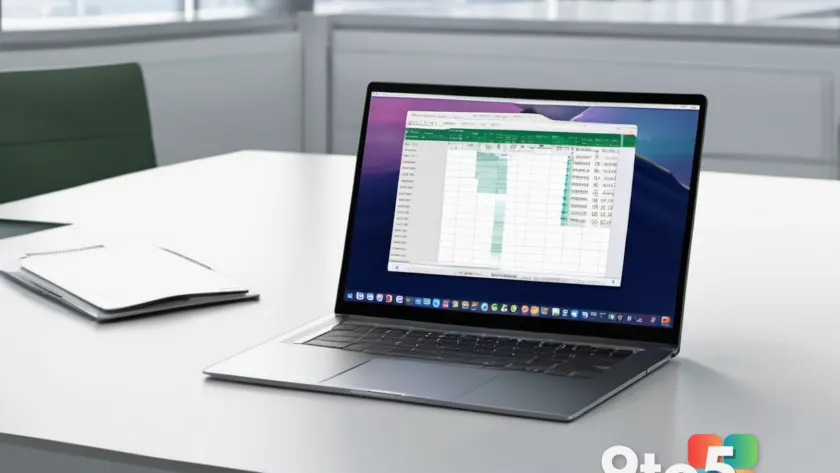
Microsoft has officially announced the removal of the experimental Copilot function within Excel, marking a significant shift in how the company manages its AI capabilities across the Office suite. This move comes as part of a broader strategy to streamline and consolidate AI tools, ensuring a more consistent user experience as the technology matures.
The experimental Copilot function was introduced as a preview feature, giving users early access to AI-driven data analysis and automation directly from the Excel ribbon. However, Microsoft has decided to discontinue this specific entry point. Users will no longer see the Copilot button in the Excel ribbon as they did previously. Instead, the company is directing users toward other, more stable methods of accessing Copilot.
What Changed in Excel
The removal of the experimental Copilot function means that the dedicated button previously located in the Excel ribbon is being phased out. This feature allowed users to interact with Copilot’s AI capabilities without leaving their spreadsheet, offering quick access to data insights, formula generation, and automation tasks. While the feature was well-received for its convenience, Microsoft has determined that a different approach better serves the long-term goals of its AI integration strategy.
Users will now need to rely on alternative entry points to access Copilot in Excel. The primary method involves the dedicated Copilot pane, which provides a centralized location for AI tools. This pane is designed to offer a more organized and comprehensive experience, allowing users to manage multiple AI tasks without cluttering the ribbon. Additionally, Copilot features are being integrated more deeply into specific Excel functions, such as chart creation and data analysis, ensuring that AI assistance is available exactly where it is needed most.

Why Microsoft Is Making This Change
Microsoft often experiments with feature placement to gauge user adoption and gather feedback. The removal of the experimental Copilot function suggests that the company has settled on a preferred method for delivering Copilot in Excel. This aligns with Microsoft’s broader approach to AI integration, where features are refined and consolidated before becoming permanent fixtures.
By removing the experimental option, Microsoft is likely aiming to reduce confusion and ensure a consistent user experience across all Office applications. The company has emphasized that the core functionality of Copilot remains available, and the new access methods are designed to provide a more reliable and efficient experience. This shift also reflects Microsoft’s commitment to continuous improvement, as the company works to optimize AI tools for maximum productivity and ease of use.
Impact on Users
For users who relied on the experimental Copilot function, this change means they will need to adapt to the new access methods. The transition should be relatively seamless, as the core functionality of Copilot remains available. However, users may need to adjust their workflows to utilize the Copilot pane or other integrated tools.
This shift also highlights the dynamic nature of Microsoft’s AI strategy, where features can evolve or change location based on development priorities. Users who were particularly fond of the experimental function may find the new methods less intuitive at first, but the enhanced organization and deeper integration should ultimately provide a more powerful experience. Microsoft has indicated that it will continue to gather user feedback to further refine the Copilot experience in Excel.

What This Means for You
If you were using the experimental Copilot function in Excel, you will need to explore the alternative ways to access Copilot. The dedicated Copilot pane offers a centralized location for AI tools, which may provide a more organized experience. Additionally, Microsoft continues to enhance Copilot’s capabilities, so users can expect ongoing improvements to the feature set.
Staying informed about these changes will help you make the most of AI tools in Excel. Users should familiarize themselves with the new access methods to ensure they can continue leveraging AI for their data analysis and productivity needs. Microsoft’s commitment to refining its AI tools suggests that the Copilot experience will only become more robust and user-friendly in the future.
How to Access Copilot Now
To continue using Copilot in Excel, look for the dedicated Copilot pane or other integrated locations within the application. These entry points are designed to provide a consistent and reliable experience. Microsoft has indicated that these methods are the preferred way to access Copilot features moving forward.
Users should explore the Copilot pane to discover the full range of AI tools available. This includes features for data analysis, formula generation, and automation, all accessible from a single, organized interface. By adapting to these new methods, users can continue to benefit from the power of AI in Excel while enjoying a more streamlined and efficient workflow.
Source: Neowin
Over to you: Are you relying on the experimental Copilot feature in Excel, or have you already switched to the standard integration?
You may also like
 Windows 11 Multiple Reboots Explained: Why Secure Boot Updates Are Keeping You Waiting
 Microsoft Confirms Copilot Outlook Classic Bug, Plans Quick Fix
 Microsoft August 2026 Patch Tuesday Brings 751 Fixes, Including an Exploited WinSock Flaw
 AMD Pushes New AMD Chipset Driver 8.08.12.551 to Unlock Ryzen AI Max Support