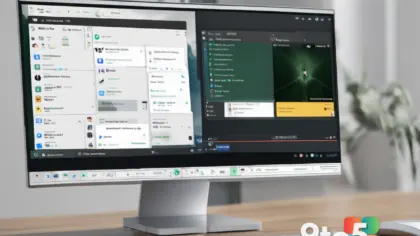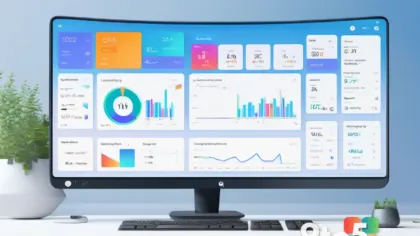
Microsoft has reportedly intervened in a dispute with LG regarding the distribution of third-party advertising on Windows 11 systems. According to reports, the software giant has asked LG to stop showing McAfee promotional pop-ups to users who connect LG monitors to their PCs. This development highlights the ongoing tension between hardware manufacturers and the operating system provider regarding the pre-installed software experience.
The controversy centers on the LG Monitor app, a utility designed to help users manage settings for their LG displays from within Windows. The application has come under scrutiny because it can be installed automatically when an LG monitor is connected to a PC, often without explicit user consent. Once installed, the app has served as a channel for delivering McAfee advertisements, leading to frustration among Windows 11 owners who expect a cleaner out-of-the-box experience.
The Mechanism Behind the Ads
The LG Monitor app functions as a bridge between the operating system and the hardware, allowing for adjustments to brightness, contrast, and input sources. However, the delivery method for this software has raised privacy and usability concerns. The automatic installation feature means that simply connecting a compatible display can trigger the download and setup of the application in the background.
Once active, the app has been configured to display notifications and pop-ups promoting McAfee security software. For many users, these interruptions are unexpected and unwelcome, particularly on a fresh installation of Windows 11. The presence of such ads can clutter the desktop and disrupt workflow, prompting questions about whether the advertising revenue offsets the potential degradation of the user experience.
Microsoft’s Stance on OEM Partnerships
The request from Microsoft to LG underscores the complex relationship between the OS developer and hardware partners. While Microsoft relies on OEMs to ship Windows on a vast array of devices, it also strives to maintain control over the core Windows experience. The pushback against intrusive advertising suggests that Microsoft is prioritizing user satisfaction and brand integrity over the revenue-sharing agreements that often drive these partnerships.
This intervention may reflect a broader strategy to differentiate Windows 11 from competitors by offering a more streamlined experience. By addressing complaints about bloatware and unwanted software, Microsoft aims to reduce friction for new users and reinforce the perception of Windows as a professional and reliable platform. The specific targeting of McAfee ads indicates that Microsoft is willing to enforce guidelines even with well-known third-party vendors.
What This Means for LG Monitor Owners
For users who own LG monitors, this development is significant. If you have experienced unexpected McAfee pop-ups after connecting your display, your feedback may have contributed to Microsoft’s decision to act. The resolution of this issue could lead to a cleaner installation process for the LG Monitor app in the future, potentially giving users more control over what software is added to their systems.
However, until the changes are implemented, users should remain vigilant about the software installed on their PCs. The automatic installation of the LG Monitor app serves as a reminder of how hardware connections can trigger software deployments. It is advisable to review installed applications regularly and disable notifications from utilities you do not actively use.
How to Remove Unwanted Ads and Software
If you are currently dealing with McAfee ads via the LG Monitor app, there are steps you can take to mitigate the issue. First, you can uninstall the LG Monitor app entirely if you do not require its features. This can be done through the Windows Settings app under “Apps” or “Installed Apps.” Removing the app should stop the delivery of these specific advertisements.
Additionally, you can manage notification settings to suppress pop-ups from other sources. Windows 11 allows users to customize which apps can send notifications and when. By adjusting these settings, you can reduce the frequency of interruptions even if other background processes remain active. It is also worth checking the McAfee application itself for options to disable promotional messages, should you choose to keep the security software installed.
As Microsoft and LG navigate this disagreement, users may see further changes to how third-party software is distributed on Windows 11. Staying informed about these developments can help you maintain a personalized and efficient computing environment.
Source: Thurrott.com
Over to you: Do you think Microsoft should have stricter controls over what ads OEMs can push to Windows 11 users?
You may also like
 Steam Workshop Malware Spreads Through Meccha Chameleon Maps — Here’s How to Stay Safe
 Microsoft Details Why West US Azure Services Went Dark for Five Hours
 Tycoon2FA Takedown Reshapes Phishing: BEC and Teams Attacks Surge
 Diablo 2’s Addictive Secret Cracked: Path of Exile Co-Creator Explains the Power of Breakpoints