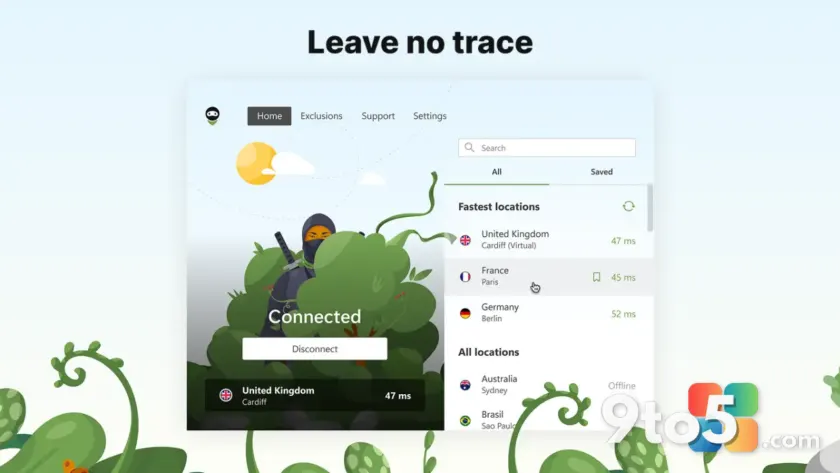
AdGuard has officially released its VPN application through the Microsoft Store, marking a significant shift in how Windows users can access their privacy tools. This move aims to simplify the installation process and ensure that your software stays up-to-date with minimal effort on your part.
Simpler installation and maintenance
Previously, installing AdGuard VPN required downloading an executable file directly from the company’s website. Now, you can find the app alongside thousands of other utilities in the Microsoft Store. This integration means the Windows operating system handles the initial setup, reducing friction for new users who might be hesitant to run standalone installers.
For existing users, this transition offers a smoother maintenance experience. The Microsoft Store automatically checks for updates and applies them in the background. You no longer need to manually check for new versions or download patches, ensuring you always have the latest security features and performance improvements without extra steps.
What this means for you
If you rely on AdGuard VPN to protect your browsing activity or bypass regional restrictions, this update makes managing your subscription more convenient. The Microsoft Store version provides a trusted source for the software, which can be particularly reassuring given the increasing scrutiny around third-party downloads. You can expect the same core functionality you are used to, but with the added benefit of seamless integration into your Windows environment.
Whether you are new to AdGuard or a long-time subscriber, checking the Microsoft Store is now the recommended path for acquiring the application. It aligns with Microsoft’s broader push to centralize app management on Windows 10 and Windows 11 systems.
Source: Neowin
Over to you: Do you prefer installing apps via the Microsoft Store or direct downloads from developer websites?
You may also like
 Rumor: GTA 6 may hit 60 FPS on Xbox Series S with dual performance modes
 Xbox reportedly pulled funding from Assassin’s Creed creator’s new game
 Cyberpunk 2077: Edgerunners 2 trailer drops, confirms Fall 2026 Netflix release
 Assassin’s Creed Black Flag Resynced: Xbox Series X hits 60 FPS, Series S stuck at 30