- Status: Confirmed (Recycle Bin bug); Investigating (OneDrive, BSOD, BitLocker)
- Affected Builds: Windows 11 systems installing KB5095051
- Related Updates: KB5094126 (reported OneDrive issues), KB5089549 (previous month’s rollback)
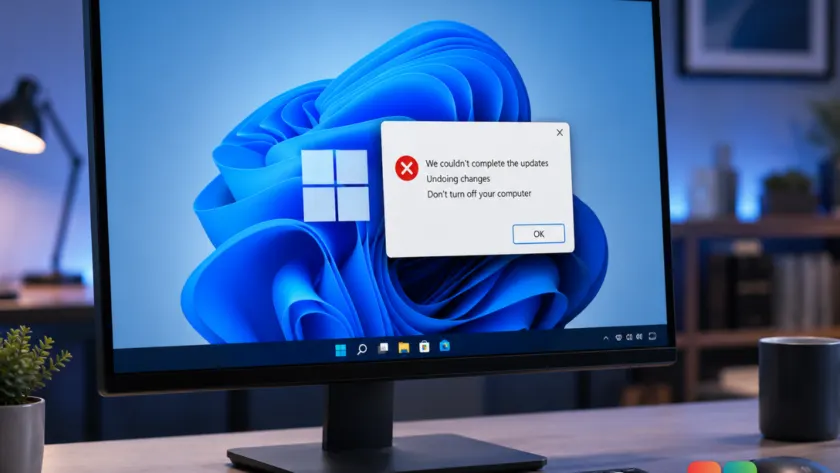
Microsoft has officially confirmed a bug affecting the Recycle Bin in Windows 11 following the release of this month’s Patch Tuesday update. While the company has only acknowledged this specific issue so far, users across forums and social media are reporting a broader range of stability problems linked to the June 2026 cumulative update, identified as KB5095051.
The confirmed Recycle Bin glitch is classified as an edge case that impacts the confirmation dialog when permanently deleting a single file. Instead of displaying the actual filename (e.g., document.pdf), the prompt shows a cryptic internal system name like $Rxxxxx.ext. Microsoft states this is purely a display issue; the Recycle Bin window itself still shows correct filenames, and files are deleted or restored properly without data loss.
However, the workaround for this specific bug is currently limited to commercial users. System administrators must contact Microsoft Support for Business to access mitigation details. Home users and other non-commercial accounts will need to wait for a future Windows update to receive an official fix.
OneDrive access and File Explorer performance hits
Beyond the Recycle Bin, community reports indicate significant friction with cloud storage integration. Users on Microsoft Learn forums have noted difficulties opening OneDrive folders within File Explorer after installing KB5094126, another update released around the same time. This suggests potential conflicts between recent security patches and cloud sync services.
IT administrators on Reddit’s r/sysadmin subreddit have corroborated these concerns, reporting widespread File Explorer performance degradation across hundreds of corporate PCs. The slowdowns appear consistent enough to impact daily productivity, prompting many organizations to investigate rollback options.

Hardware-specific crashes and BitLocker triggers
More severe issues have surfaced for users on specific hardware configurations. Owners of HP devices have reported Blue Screen of Death (BSOD) errors with the code 0xc0430001 shortly after applying the update. Meanwhile, Lenovo users describe system freezes under moderate workloads, indicating potential driver or firmware compatibility clashes.
Perhaps most concerning are reports from IT pros regarding unexpected BitLocker Recovery prompts on devices using local accounts. One administrator shared that a Microsoft support chatbot suggested wiping the device and reinstalling Windows as the only solution—a recommendation experts advise treating with extreme caution given the unreliability of automated support tools.
What this means for you
If you are experiencing minor annoyances like the Recycle Bin filename glitch, you can safely ignore it for now since your data remains intact. However, if you encounter critical issues such as BSODs, persistent freezing, or BitLocker locks, immediate action is required.
For users facing serious instability, a simple system restart may clear temporary errors. If problems persist, navigate to Settings > Windows Update > Update history and use the Uninstall updates option to remove KB5095051. Before attempting any recovery steps for BitLocker issues, ensure you have access to your recovery key via your Microsoft account at account.microsoft.com/devices/recoverykey. Always back up important data before making significant system changes.
This update follows a pattern of reliability challenges; the May 2026 update (KB5089549) previously caused EFI partition errors and was eventually reverted via a Known Issue Rollback. Microsoft has not provided a timeline for fixing the current Recycle Bin bug or addressing the broader stability concerns, leaving users to decide whether to hold off on installing June’s patch until further notice.
Source: gHacks
Build details:
- kb5089549
Over to you: Have you encountered any issues with KB5095051, or is your system running smoothly after the June update?
You may also like
 Windows 11 Canary builds bring targeted audio driver and settings improvements
 Microsoft drops new Windows 11 builds for June 19, including version 26H2 for Experimental
 Windows Insider builds for June 12: New unified update experience, typo-tolerant search, and 26H1 updates
 Windows 11 Insider builds for June 12: Unified updates, smarter search, and new inbox app notes