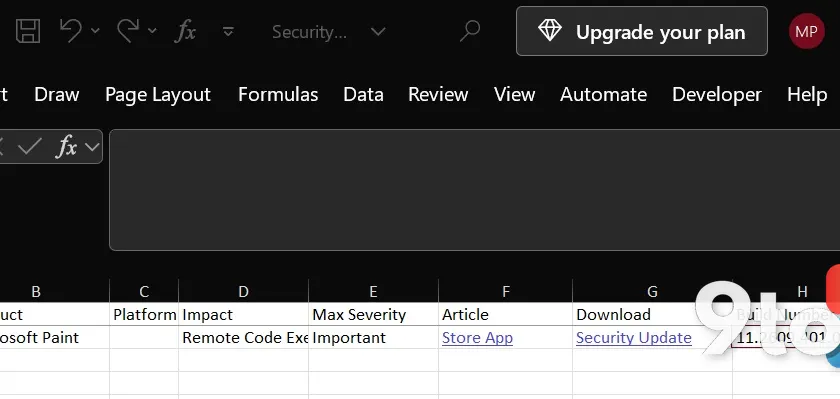
Before we dig in, here’s the quick rundown on this issue:
- Status: Confirmed vulnerability; a patch exists in the Microsoft Store but is not installing for many users.
- Affected: Windows 11’s Microsoft Paint app, versions below 11.2609.401.0.
- CVE: CVE-2026-83844, CVSS score 8.1 out of 10, rated “Important” by Microsoft.
- Exploitation: No known reports of it being used in the wild.
Windows 11’s Paint app is far from the flashiest program on your PC, but a newly disclosed flaw turns it into something worth paying attention to. According to Microsoft’s security response center, the Microsoft Paint vulnerability could let an attacker run code on your machine without you ever clicking on anything. On top of that, the fix itself is proving hard to actually get.
What the Microsoft Paint vulnerability actually does
Microsoft disclosed CVE-2026-83844 on October 13, describing it as an “out-of-bounds read.” In plain terms, the affected code reads memory outside the area it is supposed to touch. That kind of memory mishandling can, in the worst case, lead to remote code execution — meaning an attacker could run their own code on your PC.
The part that makes this worth noting is how it gets triggered. Microsoft explains that “an unauthenticated attacker could exploit this vulnerability by sending a specially crafted packet to an affected service over the network.” In other words, you don’t need to open a malicious file or click a link — a network packet alone could do it.
That is exactly why this is being called a “no-click” flaw. With no user action required, it is the kind of vulnerability security researchers take seriously, since it removes the whole “don’t click suspicious things” layer of defense.
The fix exists, but it isn’t installing
Here is where things get confusing. Microsoft says the patch shipped through the Microsoft Store alongside the October 13 disclosure. Its own support document states that if your Paint is version 11.2609.401.0 or newer, you are fully protected.
But that fix is not reaching everyone. I checked my own machine, which has automatic updates turned on in the Microsoft Store, and found no available update for Paint. When I opened the app’s settings to check the installed version, it was running 11.2603.251.0 — clearly older than the patched 11.2609.401.0.
This is not an isolated observation. IT admins on Reddit reported the same thing, confirming they cannot see the Paint update at all, even after using a third-party tool to download the MSIX package directly.
So what is going on? Two possibilities stand out. Either a bug is blocking the patched version of Paint from appearing in the Store, or Microsoft documented an incorrect app version as the required fix in its security bulletin. We don’t have an official answer yet.
Windows updates won’t save you here
One common assumption is that keeping Windows 11 up to date covers everything. It doesn’t, at least not for this flaw.
Paint is maintained through the Microsoft Store, not through Windows Update. So even if you installed Windows 11’s October 2026 update — which itself patched well over 1,000 security issues — that does not guarantee your Paint is patched. The app needs its own update, delivered separately through the Store.
How to check your Paint version
You can verify which version of Paint is installed by opening Windows PowerShell and running this command:
powershell Get-AppxPackage -Name Microsoft.Paint | Select-Object Name, Version
According to Microsoft’s documentation, version 11.2609.401.0 or newer is patched. Anything below that is considered vulnerable.
Even if the version you see is older than the patched number Microsoft lists, I’d still recommend installing whatever the latest Paint update is available to you. It is entirely possible that Microsoft either accidentally pulled the update or documented a nonexistent version as the fix.
What this means for you
Take a breath. Microsoft rates this issue as “Important,” one step below “Critical,” and says the flaw is difficult to exploit. There are no reports of it being weaponized in the wild, so this is not an emergency.
That said, “difficult to exploit” is not the same as “impossible,” and a no-click network flaw is exactly the kind of thing you want patched before someone figures out how to make it easy. The practical takeaway is simple: make sure your Paint is updated, and keep an eye on the Store if the fix does not show up on its own.
How to get the fix
Open the Microsoft Store, go to your app library, and check for updates. If Paint shows a patch, install it. If nothing appears, try checking back over the next few days, since the publishing issue may resolve itself.
Until Microsoft clarifies whether the version number in its bulletin is correct or whether a Store bug is blocking the update, the safest move is to keep automatic updates on and verify your Paint version periodically using the PowerShell command above.
Source: Windows Latest
Build details:
- kb5127648
Over to you: Is your Paint already patched, or did you also find the fix missing from the Store? Drop your version number in the comments.