Microsoft just released a video that quietly admits something it spent two years telling you not to expect: Windows 11 8GB RAM could never handle a real workload without turning your PC into a sluggish paperweight.
The company’s own footage compares two identical 8GB PCs side by side, and the difference is stark. On Windows 11 26H2 (the October 2026 Update), the machine powers through a heavy multitasking workload while the older build — running the January 2026 update — stumbles, freezes on blank screens, and lags far behind.
Microsoft claims the newer build can be up to 40% more responsive, and it says those gains are most obvious on the low-end machines that matter most right now.
Why Windows 11 8GB RAM performance changed
For the better part of two years, Microsoft pushed the opposite message. It told everyday users that 16GB of RAM was the bare minimum worth buying, and it told gamers that 32GB was a “must” for serious play.
The pitch changed when the market did. RAM prices have soared to levels not seen in years, squeezing both buyers and manufacturers. In response, Microsoft is now selling PCs with 8GB of RAM again — including an 8GB Surface Laptop priced at $1,299 — while its OEM partners are quietly resuming 8GB builds to compete with Apple’s MacBook Neo.
The MacBook Neo has drawn attention partly because it runs comfortably on fewer resources than Windows 11 typically does, and Microsoft clearly wants 8GB Windows machines to be a credible option again.
So the company isn’t just changing its marketing copy — it’s shipping real optimizations to make that hardware feel usable. The catch is that these gains are most visible on 8GB machines, not the 32GB rigs most enthusiasts run.
What the test actually did
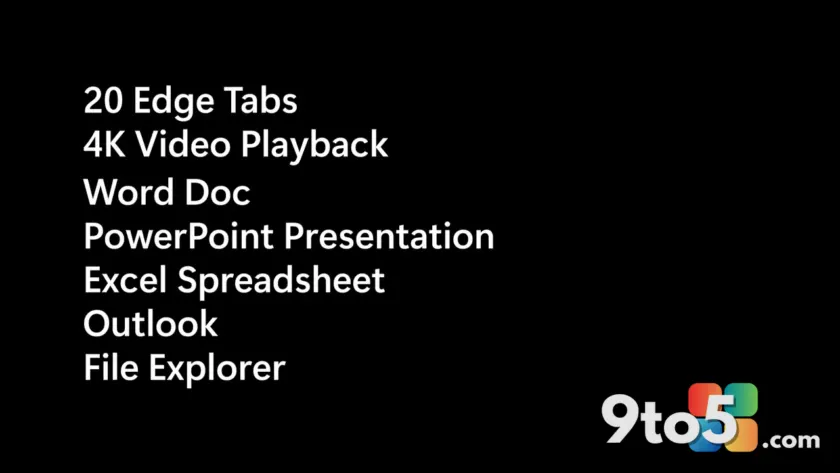
Microsoft’s comparison used two PCs with 8GB of RAM running a nearly identical workload. On each machine, it opened 20 tabs in the Edge browser, played a 4K video in the background, and then cycled through a Word document, a PowerPoint presentation, Excel, Outlook, and File Explorer.
The Edge sites it opened used placeholder brand names — Contoso, VanArsdel, Northwind, Adatum, and Fourth Coffee — the standard set Microsoft uses in its own demos. It also exercised the right-click menu, File Explorer, and app launches repeatedly.
The result, in the footage, is hard to miss. The January 2026 build — which predates Microsoft’s March 2026 commitments on performance — frequently froze on blank or loading windows. Meanwhile, the October 2026 machine was already moving on to the next app.
The numbers behind the 40% claim
Microsoft pinned the responsiveness figure to specific system actions. It measured response times for Search, Start, right-click, Settings, the Snipping Tool, and File Explorer on 8GB PCs.
The headline comparison it cited was Windows 11 Build 26300.9550 (26H2) against OS Build 26200.7628 (25H2). In a separate workload clip, it pointed to OS Build 26200.7623 versus 26200.9445.
Microsoft’s own disclaimer is worth reading carefully: “Tested on identical Windows PCs with Windows 11 OS 26200.7623 compared to 26200.9445; actual results vary by device, configuration, app version, usage, and other factors. Footage accelerated for time.”
In other words, don’t expect a guaranteed 40% bump or a clean 20% cut in RAM usage on your specific machine. The 40% figure is a ceiling on certain configurations, not an average you’ll hit everywhere.
What’s actually driving the speed
The responsiveness gains line up closely with Microsoft’s Low Latency Profile (LLP). That feature borrows short bursts of CPU performance to make everyday interactions — opening menus, launching apps, switching windows — feel snappier. It’s most effective on lower-end processors, which is exactly why the improvement shows up most on 8GB machines.
Microsoft also highlighted memory savings. It tracked “less committed memory” as apps loaded during the multitasking test, citing figures it says were “based on changes in measured system-committed memory from baseline to final state during multitasking with Edge, Office, Outlook, and Teams.”
The per-app numbers it displayed:
- Teams: 375 MB
- PowerPoint: 612 MB
- Edge: 794 MB
- Word: 869 MB
- Excel: 891 MB
- Outlook: 900 MB
Microsoft says these apps now use up to 900 MB less committed memory than they did in January 2026. On an 8GB system, that headroom is the difference between a machine that keeps up and one that chokes under a light workload.
What this means for you
If you own an 8GB Windows 11 PC, these optimizations are aimed directly at your machine, and most of them are already live. The honest caveat is that you may not feel a dramatic difference — not because the changes didn’t land, but because your PC’s bottleneck might be something Microsoft didn’t target.
For instance, if your slowdowns come from a weak processor rather than tight memory, the Low Latency Profile will have less to work with, and that 40% responsiveness bump may not fully materialize. From an editorial standpoint, this is the kind of nuance that gets lost in a headline: the update is real, but it rewards memory-constrained systems most.
How to get it
To see the improvements, you need Windows 11 26H2 or newer. Microsoft says the changes are mostly rolling out now, but it warns that “rollout timing and availability may vary by device and region,” so don’t assume they’re active on your PC yet.
If you haven’t already, check for the latest Windows Update. Once 26H2 lands on your machine, the responsiveness and memory optimizations should follow as part of the same update wave.
If you’ve upgraded and don’t notice a change, that doesn’t mean the update failed — it likely means your hardware wasn’t the 8GB bottleneck Microsoft optimized for.
Source: Windows Latest
Over to you: If you’re buying a new laptop on a budget right now, would you take an 8GB Windows 11 machine again now that these optimizations are here?