Microsoft Flight Simulator 2024 Sim Update 6 has officially launched, concluding a beta period that began following its initial reveal at FlightSimExpo. The update is available now for all players and arrives as a relatively compact download, weighing in at under 4GB on PC. While the patch delivers highly requested features and performance upgrades, it also introduces a notable regression for a specific segment of the user base.
According to the official release notes, the update brings a mix of headline features, extensive lighting improvements, and developer-focused changes. Below is a breakdown of the key changes, what they mean for your hardware, and how to install the update.
#1 AMD Radeon Users Face FSR Rollback
The most significant technical shift in Sim Update 6 involves the upscaling and frame generation technologies. During the beta phase, the development team planned to introduce FSR 4, including its Frame Generation capabilities, to AMD Radeon users. However, the live release confirms that this upgrade has been rolled back.
Microsoft and AMD are currently addressing compatibility issues related to FSR 4 Frame Generation that have surfaced during testing. As a result, AMD users will remain on FSR 3 for this update, the same version present in Sim Update 5.1. The team has indicated they are working through these issues alongside AMD, but no timeline for the FSR 4 arrival has been provided.
For those running AMD hardware, the upscaler version displayed in your GPU software will still reflect the current FSR status, but the advanced frame generation features planned for FSR 4 are not active. If you were relying on FSR 4 for specific performance gains, you may need to wait for a subsequent patch to restore those capabilities.
#2 NVIDIA Gets DLSS 4.5 Upgrade
In contrast to the AMD situation, NVIDIA users are receiving a substantial performance boost. Sim Update 6 adds DLSS 4.5 as the new default upscaler for compatible GPUs. This upgrade brings improved image quality and efficiency compared to previous iterations.
Alongside DLSS 4.5, the update introduces Dynamic Frame Generation with in-game VSync support. This combination allows NVIDIA owners to achieve higher frame rates while maintaining visual stability, which is particularly beneficial for high-refresh-rate monitors and VR headsets. The integration of VSync support directly within the dynamic frame generation system helps reduce screen tearing without the input lag traditionally associated with fixed VSync settings.
Users with NVIDIA graphics cards should check their in-game settings to ensure DLSS 4.5 is selected as the primary upscaling method to take full advantage of these improvements.
#3 Bush Trips Return
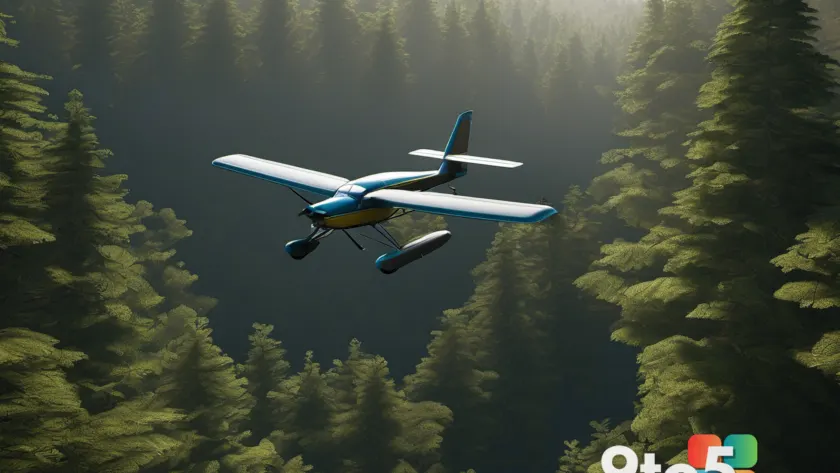
One of the most requested features from the community has been restored in Sim Update 6: Bush Trips. Brought over from Microsoft Flight Simulator 2020, this mode allows players to explore remote, off-the-beaten-path locations in small, rugged aircraft.
All previously available Bush Trips are included in the update. You can access them via the Activities menu in the main game interface. This addition diversifies the gameplay loop by offering more structured exploration objectives beyond standard point-to-point flights.
Additionally, Guided Tours have been moved to the Activities menu, consolidating various gameplay modes into a single, easily navigable hub. This organizational change simplifies the user experience for players looking to switch between different types of flights and activities.
#4 Lighting and Developer Tweaks
Beyond the headline features, Sim Update 6 includes a host of visual and technical improvements. The patch notes highlight significant enhancements to the game’s lighting engine, which should result in more realistic sun positioning, improved shadow rendering, and better atmospheric scattering in various environments.
For developers and content creators, the update includes specific tools and adjustments designed to streamline the creation process. These changes are detailed in the full patch notes, which cover a wide range of fixes and optimizations across the simulation.
What This Means for You
If you are an NVIDIA user, this update is a clear upgrade. The move to DLSS 4.5 with Dynamic Frame Generation offers tangible performance benefits and should improve the overall smoothness of your flights, especially in graphically intensive scenarios. You can install the update with confidence, knowing your hardware is fully supported for the new features.
For AMD Radeon owners, the situation is more nuanced. While you will still receive the Bush Trips, lighting improvements, and general stability fixes, the rollback from FSR 4 to FSR 3 is a step backward in terms of upscaling technology. If FSR 4 Frame Generation was a critical factor in your decision to play MSFS 2024, you may want to monitor official channels for updates on when the compatibility issues are resolved. In the meantime, the update still provides valuable content and visual enhancements.
How to Get It
Sim Update 6 is available now through your preferred PC gaming platform, whether that is the Microsoft Store, Steam, or the Xbox app. The update is approximately 4GB in size, making it one of the more manageable patches in terms of download time. Once installed, launch the game and navigate to the Activities menu to access the returned Bush Trips and Guided Tours.
For a complete list of all fixes, performance adjustments, and technical details, refer to the official patch notes released by Microsoft. The document is extensive and covers numerous edge cases and system-specific improvements.
Source: Latest from Windows Central
Over to you: Are you sticking with your current GPU setup, or does the FSR rollback push you toward an NVIDIA upgrade?
You may also like
 Microsoft Improves Word Document Navigation for Longer Files
 Windows 11 Low Latency Profile Now Boosts CPU for All Apps in August Patch Tuesday
 Microsoft Explains Why Exchange Server SE CU1 Is Delayed
 Microsoft Urges Windows 11 Users to Install August 2026 Update Within 3 Days as 400+ Security Flaws Are Patched