The Dell 16S arrives as the successor to Dell’s earlier Inspiron Plus line, aiming to deliver a polished, premium-feeling 16-inch laptop with a focus on display quality and build materials. At first glance, the chassis checks the right boxes: a sturdy metal body, a gorgeous OLED touchscreen, and a comprehensive array of modern connectivity options including Thunderbolt 4 and Wi-Fi 7. However, a closer look at the specifications and real-world testing reveals a device that struggles to justify its premium tag when stacked against the current generation of 16-inch competitors.
In our Dell 16S review, we tested the mid-range configuration equipped with an Intel Core Ultra 7 355 processor and Intel Graphics. While the system handles everyday productivity tasks with ease and the display is genuinely top-tier for creative work, it falls short in sustained performance, graphics rendering, and battery efficiency. When weighed against alternatives like the Acer Swift 16 AI or the Lenovo Yoga Pro 9i 16 Gen 10, the Dell 16S finds itself in a difficult position where the price-to-performance ratio simply doesn’t add up.

Design and Build Quality
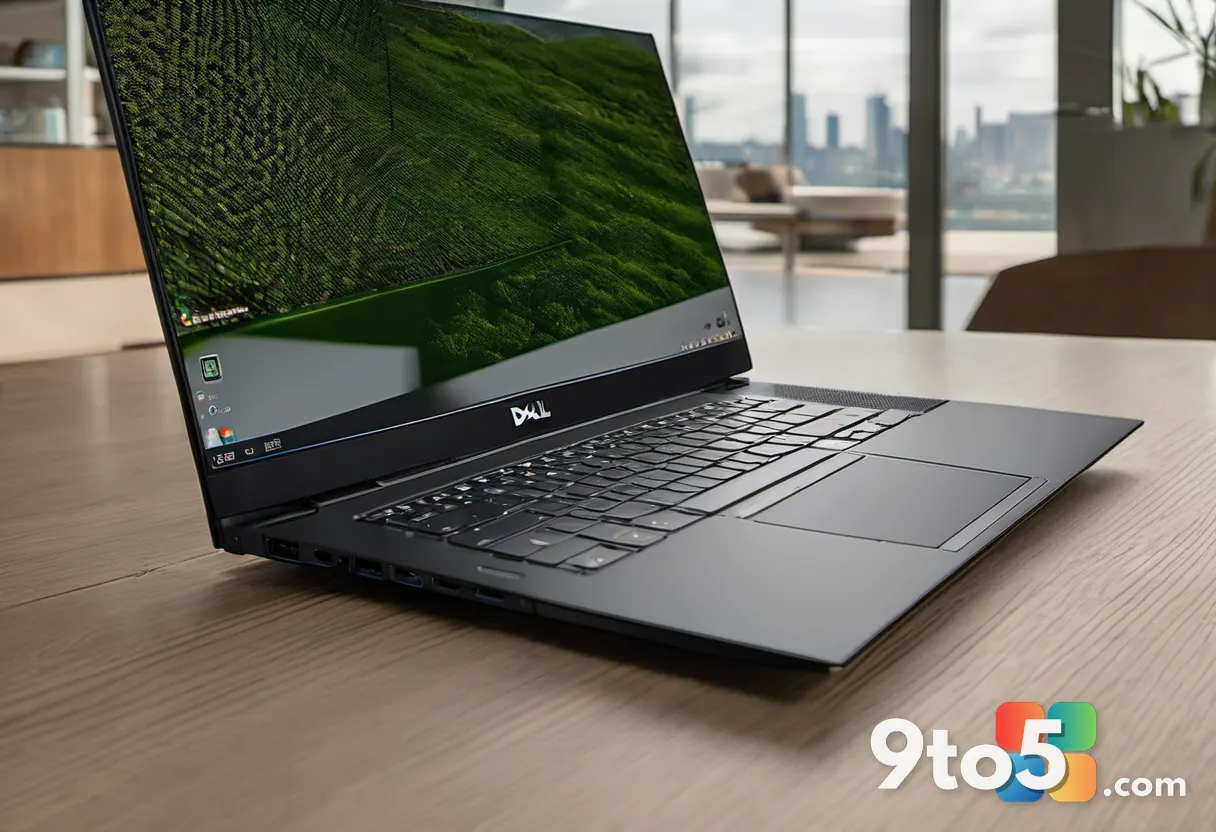
The Dell 16S adopts a straightforward, utilitarian aesthetic that prioritizes durability over flair. The chassis is constructed from sturdy metal, offering a robust feel that inspires confidence during daily use. Panel gaps are tight, and the overall finish is clean, giving the laptop a polished appearance despite its plain dark coloring. The design language is unmistakably business-oriented, lacking the aggressive styling or vibrant color options often seen in consumer-focused 16-inch laptops.
Thermal management is handled through a system of intakes located beneath a large grille on the underside, with warm air exhausted through the display hinge. While this exhaust path isn’t the most refined, Dell has mitigated the issue with a wide rear rubber foot that prevents the laptop from inhaling its own hot air, alongside two front feet that keep the device secure on flat surfaces. The hinge mechanism is notably stiff, eliminating any screen wiggle during typing and stabilizing quickly after adjustment. Despite the stiffness, the lid opens smoothly with one hand, though the lack of a substantial lip means you might need a bit of fingernail to get a grip.
Portability is a strong suit for a 16-inch machine. The Dell 16S weighs just under four pounds and measures 0.61 inches thick, excluding the rubber feet. However, at 9.9 inches in depth, it is slightly deeper than necessary. The presence of relatively thick upper and lower bezels around the display suggests there was room for Dell to trim the chassis further, though the compact footprint still makes it manageable for a 16-inch form factor.
The keyboard layout takes advantage of the 16-inch chassis by including a nearly full-size number pad, which is a welcome addition for users who work with spreadsheets or data entry. However, the typing experience is unremarkable. The keys are largely flat, making it slightly difficult to locate the center of each key for fast typing. While the backlighting is clear and the number pad is functional, the reach to the keyboard can cause wrist fatigue over time due to the front lip of the chassis.
Display and Audio Performance
The standout feature of the Dell 16S is undoubtedly its display. Our test configuration upgrades the base model’s drab 1200p touch screen to a vibrant 2880×1800 OLED panel. This screen delivers the infinite contrast ratios that OLED technology is renowned for, along with a wide color gamut that completely covers both sRGB and DCI-P3 color spaces. Color accuracy is exceptional, with a maximum dE1976 of just 1.19, making this a display capable of handling professional creative work with confidence.
However, the OLED panel does have its limitations. Peak brightness tops out at 391 nits, which is adequate for indoor use but falls short in bright environments. While HDR highlights can push higher, the white point for standard content remains modest, which may be a drawback for users who work in sunlit offices. The 2880×1800 resolution provides sharp, detailed visuals, and the 120Hz refresh rate ensures smooth scrolling and animations. It is a shame that this excellent display is paired with integrated graphics that can’t fully utilize its visual potential in gaming scenarios.
Audio performance is decent but not outstanding. The speakers produce bright, mid-heavy sound with a touch of bass to add depth to music. The mids are slightly emphasized, which can become fatiguing during extended listening sessions, though speech remains clear and intelligible. The volume levels are sufficient for most environments, but audiophiles may still prefer external headphones for a more balanced experience.
Performance and Benchmarks
Under the hood, the Dell 16S is powered by an Intel Core Ultra 7 355 processor and 16GB of LPDDR5x-7467 memory. For day-to-day tasks such as web browsing, document editing, and video conferencing, the system performs admirably. The large chassis helps dissipate heat, allowing the CPU to maintain consistent performance during light workloads. However, the reliance on integrated Intel Graphics becomes a significant bottleneck when tackling more demanding applications.
In PCMark 10, the Dell 16S showed competent performance in office and productivity benchmarks, confirming its ability to handle everyday tasks. However, content creation scores lagged behind competitors, largely due to the lack of a dedicated GPU. When compared to other systems built on Intel Core Ultra 300-series chips, the Dell 16S falls behind in several departments, particularly those that benefit from advanced graphics processing.
Cinebench tests further highlight the performance gap. While the Intel Core Ultra 7 355 delivers decent single-core speeds for snappy general performance, its multi-core results are unimpressive. It fails to outperform the earlier Intel Core Ultra 7 258V found in the HP OmniBook X Flip 16 across all four Cinebench versions tested. More significantly, it trails behind systems equipped with the Intel Core Ultra X7 358H, Core Ultra 9 285H, and Core Ultra X9 388H, which consistently achieve nearly double the multi-core performance.
The Dell 16S’s cooling system plays a minor role in its performance profile. In the extended Handbrake encoding test, which subjects the system to sustained loads, the Dell 16S managed to edge ahead of the HP OmniBook X Flip 16 in multi-core performance. However, it still lagged considerably behind other systems, indicating that the cooling solution, while functional, isn’t a standout feature. For users who regularly engage in video editing, 3D rendering, or gaming, the integrated graphics and CPU limitations will be a significant drawback.
The trackpad experience is another area where the Dell 16S falls short. Out of the box, users may notice a noticeable latency in mouse movements, with the cursor lagging behind trackpad input. This issue can be resolved with a registry edit, but it is surprising that such a problem exists in a new device. Unfortunately, the registry fix may make the trackpad overly sensitive, leading to palm rejection issues that force users to rely on an external mouse.
Battery Life and Connectivity
Battery life is often a trade-off for performance, but the Dell 16S doesn’t offer a compelling efficiency advantage. In our offline 4K video playback test, which runs the system at 250-260 nits in airplane mode until the battery depletes, the Dell 16S lasted just under 17 hours. While this is a respectable result, it is readily beaten by most competitors by an hour or more. The Lenovo Yoga Pro 9i Gen 10, for instance, lasted nearly three hours longer, despite being a significantly more powerful machine.
In real-world usage scenarios involving web browsing and document drafting, the Dell 16S provided approximately seven hours of runtime. This is a moderate figure that aligns with expectations for a 16-inch laptop, but it isn’t class-leading. Users who require all-day battery life without a charger may find themselves seeking alternatives with more efficient processors or larger battery capacities.
Connectivity options are robust, featuring two Thunderbolt 4 ports, two USB 3.2 Gen 1 ports, an HDMI 2.1 port, and a 3.5mm combo audio jack. The Thunderbolt 4 ports support Power Delivery and DisplayPort 2.1, making it easy to connect to high-resolution external displays. Wireless connectivity is also modern, with support for Wi-Fi 7 and Bluetooth 6.0, ensuring fast and stable connections for networking and peripheral devices.
However, the port layout could be more balanced. Both USB-A ports are limited to 5Gbps, and the configuration mirrors that of Dell’s 14-inch model, the Dell 14S. An additional USB-C port on the right side for charging or data transfer would have been a welcome addition, as would an SD card slot for creative professionals who need quick access to camera memory cards.
What This Means for You
The Dell 16S is a well-built laptop with a premium display, but it struggles to justify its price tag in a competitive market. If you prioritize display quality and build materials above all else, the OLED panel and metal chassis are compelling features. However, if you need strong performance for content creation, gaming, or multitasking, the integrated graphics and modest multi-core performance will leave you wanting more.
For users who primarily use their laptop for productivity tasks, the Dell 16S is a capable machine. The keyboard, trackpad, and connectivity options are functional, and the display is a joy to work with. However, the trackpad latency issue and the lack of a dedicated GPU may prompt some users to look elsewhere. If you are considering the Dell 16S, it is worth evaluating whether the base configuration with the Intel Core Ultra 5 322 processor and 1200p display offers better value, or if the higher-tier configurations with Intel Arc graphics and more powerful processors provide a more balanced experience.
How to Get It
The Dell 16S starts at $1,319, which includes an Intel Core Ultra 5 322 processor, Intel Graphics, 16GB of LPDDR5x memory, 512GB of storage, and a 1200p touch display. Our test unit, priced at $1,769, upgrades the storage to 1TB, the CPU to an Intel Core Ultra 7 355 processor, and the display to a 2880×1800 OLED panel. Dell also offers configurations with Intel Core Ultra X7 358H and Core Ultra 9 386H processors, Intel Arc graphics, 32GB of memory, and 1200p or 2560×1600 non-touch displays.
It is important to note that Dell does not allow free mixing and matching of components. For instance, to get Intel Arc graphics, you must opt for the configuration with the Core Ultra X7 chip, 32GB of memory, 1TB of storage, and the 2560×1600 non-touch display, which is not OLED. This configuration is priced at $2,119 but was available at a discount to $1,819 at the time of writing, offering a more performance-focused option for those willing to sacrifice the OLED display. Additionally, Dell offers an AMD-powered version of the Dell 16S for users who prefer alternative processor options.
Ultimately, the Dell 16S is a solid choice for users who value display quality and build materials, but it faces stiff competition from rivals that offer better performance and battery life at similar price points. Carefully consider your performance needs and budget before making a decision.
Source: PCWorld
Over to you: With the OLED display and metal build, does the Dell 16S’s design justify its premium price, or should you look elsewhere for better performance?
You may also like
 Beast of Reincarnation Review: Game Freak Breaks Free From the Pokémon Shackles
 Asus ProArt MD301 Review: 180-Day Battery Life for $100 Makes It a Student Staple
 Harymor BS-D01 Smart Bird Bath Review: A Window to Nature for Office Workers
 GMKtec NucBox K13 Review: Intel Lunar Lake Mini PC Delivers Surprising Performance