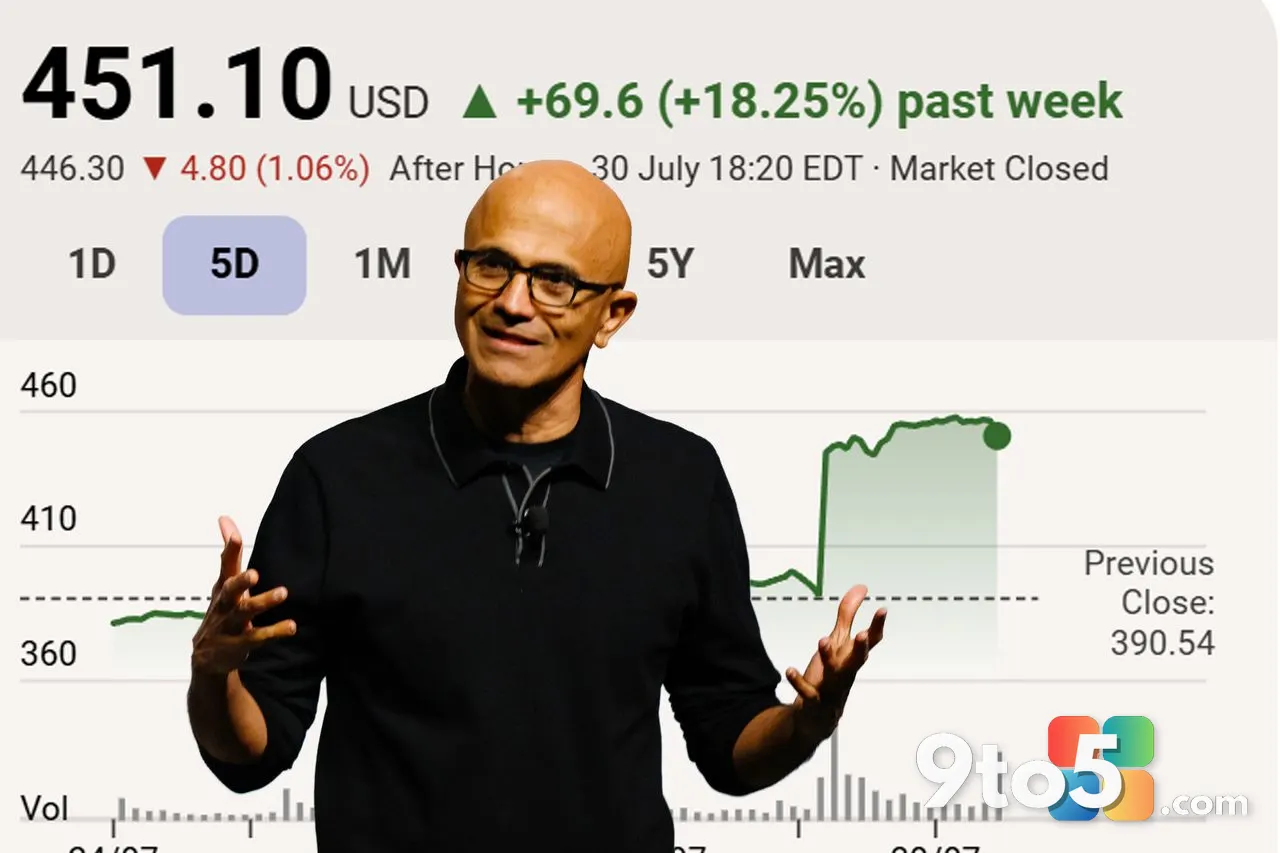
Microsoft posted its Fiscal Year 2026 Fourth Quarter earnings on July 29, reporting $90 billion in quarterly revenue and a full-year cloud total that crossed $214 billion. While those headline numbers drive investor sentiment, the most meaningful signal for everyday PC users came from a single sentence buried in CEO Satya Nadella prepared remarks.
With the Personal Computing segment down 4 percent for the quarter and Windows OEM revenue sliding 7 percent, Nadella did not spend much time on the operating system. Right before transitioning to search and LinkedIn, he addressed the platform directly: “In Windows, we are investing to ensure that it has the best quality and fundamentals.” That phrasing, delivered to an audience grading Microsoft on cloud growth, effectively confirms the roadmap for the upcoming Windows 11 quality update.
What Nadella Actually Said About Windows 11
The language is tighter than what Nadella used four months ago. During the Q3 2026 earnings call in April, he admitted Microsoft needs to “win back” Windows fans, specifically calling out performance work for low RAM PCs, a streamlined Windows Update experience, and a return to “core features and fundamentals that matter most to our customers.” The shift from a broad list to a two-word mandate signals that internal engineering priorities have already been locked in.
What prompted this pivot is worth noting. Windows 11 faced a rough 2025 marked by broken updates, persistent memory leaks, and user frustration over Copilot being forced into apps where it added no value. Microsoft acknowledged the missteps in March 2026 and committed to fixing the OS at its core. Nadella repeating that commitment on an investor call tells us the engineering team is being held accountable for delivery, not just planning.
The financial context matters too. Microsoft confirmed later in the earnings call that Windows OEM revenue will decline in the high teens for the coming fiscal year. The company is essentially betting that a more stable, faster, and less cluttered Windows 11 will reduce upgrade friction, keep devices in the ecosystem longer, and support the “secure edge AI” strategy Nadella mentioned in the same breath. Windows still runs on more than a billion devices, but Azure, Microsoft 365, and Copilot now drive the income statement. The OS has to earn its keep by being reliable.
The Roadmap Behind “Quality and Fundamentals”
If you look at what has shipped since March, the definition of fundamentals is already taking shape. Microsoft has been rebuilding legacy Windows 11 UI components in WinUI, starting with the File Explorer Properties dialog. That change strips out decades-old code, adds dark mode support, and aligns the interface with modern design standards. It is a quiet but meaningful step toward the broader framework migration.
However, WinUI itself is not without growing pains. Microsoft has openly acknowledged that native WinUI applications currently consume more RAM than their legacy counterparts. The company is working through those performance bottlenecks before moving larger systems, like the Start menu, onto the new framework. Nadella calling out fundamentals suggests that work is accelerating, not slowing down.
Several user-requested fixes have already reached the Windows Insider Experimental channel and are rolling out to stable PCs. These include a movable taskbar that restores top, left, and right positioning, lower baseline RAM usage across the OS, and faster File Explorer deletion for large, fragmented files. Microsoft also decluttered Windows Search by removing MSN tiles, trivia, and ads, while pulling Copilot out of apps like the Snipping Tool and rebranding it to “Writing Tools” in Notepad.
What This Means for You
The practical impact of this push is straightforward. If you are running Windows 11 on a system with 8 GB of RAM or less, you should notice a measurable difference in idle memory consumption and multitasking responsiveness over the next few months. The lower baseline RAM usage work Microsoft restarted this year directly targets the exact bottleneck that made earlier builds feel sluggish.
For users who prefer a customized desktop, the movable taskbar and decluttered Search are immediate quality-of-life improvements. The removal of forced Copilot integrations also means fewer background processes competing for system resources. Combined with the ongoing WinUI migration, you can expect UI elements to render faster and consume less memory as legacy code is phased out.
There is also a trust component. Microsoft has a history of making promises during earnings calls and delivering them quietly through cumulative updates. The April earnings call set the stage, and the Experimental channel has already validated the direction. Based on the track record and the explicit financial commitment attached to it, there is more reason to believe this than there was a year ago.
How to Get It
Most of the changes outlined in this push follow Microsoft standard rollout patterns. Features first appear in the Windows Insider Experimental channel, where they are tested for stability over a few weeks. Once validated, they are folded into monthly Patch Tuesday cumulative updates or made available through Windows Update optional updates.
To stay current, open Settings, navigate to Windows Update, and select Check for updates. If you want early access to the movable taskbar and other experimental fixes, you can join the Windows Insider Program through the same menu and switch your ring to Experimental. Keep in mind that Insider builds are not intended for primary machines, as they may contain regressions before final stabilization.
For most users, the safest path is to let Windows Update handle the rollout. Microsoft is prioritizing stability for this cycle, so the fundamentals work will arrive in standard monthly patches rather than as a single massive feature drop. If you run into issues after an update, you can roll back within ten days through Settings > System > Recovery, or use System Restore to revert to a previous stable state.
Source: Windows Latest
Build details:
- Build 2026
Over to you: Will you be joining the Experimental Insider ring to test the new taskbar and search changes, or sticking with the stable Patch Tuesday updates?