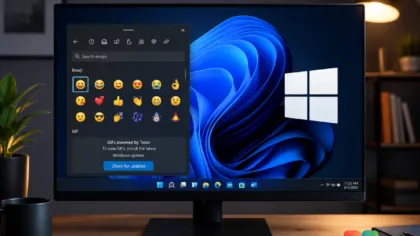
Microsoft promised Windows 11 would be more stable, but a fresh round of bugs is testing that promise again — this time the Windows 11 wallpaper bug is leaving users with a plain black screen. After a recent update first broke the mouse cursor, the company has now confirmed a second problem tied to the same release: it is trashing desktop wallpapers and other personalization settings.
- Status: Confirmed — acknowledged by Microsoft in an updated Windows 11 25H2 support document.
- Affected builds: Windows 11 Build 26200.9278 and newer (Build 26200.9168 also reported affected).
- Update: Windows 11 KB5120998, released August 27, 2026.
- Symptoms: Desktop background resets to a black screen on reboot or at random; personalization settings fail to load; oversized or recolored cursor; Outlook and Teams crashes on ARM PCs.
#1 The Windows 11 wallpaper bug
Microsoft confirmed via its updated Windows 11 25H2 support document that the bug resets the desktop background and other personalization settings on affected devices. In testing, the latest update — Build 26200.9278 or newer — was found to reset the desktop background on every reboot, or at random intervals, sometimes leaving users staring at a plain black screen.
The frustrating part is that you can’t easily work around it. Microsoft wrote that “on affected devices, attempting to manually restore customized settings does not work. This is because the issue prevents the correct loading of settings, regardless of their value. In this case, a default black background is used instead.”
Legacy personalization features are also in the crosshairs. Microsoft warned that slideshow settings and contrast themes can break after the update, and some users have reported that the ability to hide desktop icons stops working or that personalization menus simply fail to load.
To check whether you’re on an affected build, open Settings > System > About and look for Build 26200.9278 or newer.
#2 The oversized cursor bug
The first wave of this update’s problems hit the mouse pointer. The bug can make the cursor far too large, change its color, or otherwise leave it in a strange state that makes navigating the desktop a chore.
Microsoft later acknowledged the cursor issue, but it now says it cannot roll back the broken cursor or the desktop wallpaper once the affected feature is enabled on your machine. That means if your pointer or background goes haywire, there’s no quick toggle to undo it.
#3 Outlook and Teams crashes (ARM only)
A third bug crashes Outlook and Teams, but it’s less widespread because it only affects ARM-based PCs. If you’re on a traditional x86-64 machine, this particular problem is unlikely to touch you — but ARM Windows 11 users should keep an eye out.
All three issues share one common trait: they don’t necessarily appear the moment you install the update.
Why the bug shows up days later: Controlled Feature Rollout
If you installed KB5120998 and haven’t seen any problems yet, don’t celebrate just yet. Everything in this update — including the changes responsible for these bugs — is rolling out gradually.
Microsoft calls this approach Controlled Feature Rollout (CFR), a phased and measured way to introduce new features in Windows 11. If the particular change that breaks the cursor, desktop background, or personalization hasn’t reached your PC through CFR yet, you won’t experience the issue. But once it does, you could suddenly find your desktop black or your cursor in a weird state — sometimes days after the update was installed.
This is the familiar double-edged sword of phased rollouts. It lowers the chance that everyone hits a bug at once, but it also means the problem can arrive unannounced later, when you’re not expecting it.
What this means for you
For most Windows 11 users, the practical takeaway is simple: this update ships some genuinely requested features, but it also carries a set of basic-feature breakages that Microsoft hasn’t fixed yet.
Based on the changelog details and Microsoft’s own support document, the safest move depends on how much you rely on your current wallpaper and personalization setup. If a black desktop would throw you off your game, you can afford to wait. If you’re eager for the movable taskbar, Bing-free Search, or the resizable Start menu, you may want to weigh the risk against the reward.
How to avoid the bug for now
Microsoft says it will issue a fix as soon as possible, but it likely won’t arrive before the next Patch Tuesday, which is September 8. Patch Tuesday updates are mandatory, and Microsoft is working to correct the cursor and desktop bugs before the update reaches more PCs next week.
If you don’t want to risk a broken desktop background or a black screen, you can hold off on Windows 11 KB5120998 until Microsoft patches it. Otherwise, there isn’t much reason to skip this release, since it adds some of the most requested Windows 11 features in years.
Source: Windows Latest
Over to you: Are you holding off on KB5120998 to protect your wallpaper, or grabbing the movable taskbar and resizable Start menu despite the risk?
You may also like
 Microsoft Releases KB38982839 SCCM Hotfix That Admins Should Install Now
 Microsoft Edge Now Rolling Out Major Updates Every Two Weeks
 “We’re Aware”: Microsoft Confirms Windows 11 KB5120998 Breaks the Mouse Cursor
 Windows 11 Preview Update Breaks Mouse Settings, Then Spams You With False Defender Alerts