In April 2026, Microsoft announced it would embed Copilot directly into the Outlook search menu, promising to surface AI-generated suggestions above your regular email and calendar results. The feature began rolling out to select users in June, but the response was immediate and overwhelmingly negative. As of July 23, Microsoft has officially canceled the Copilot Search Outlook integration and issued a public apology for the disruption.
The Canceled Copilot Search Outlook Update
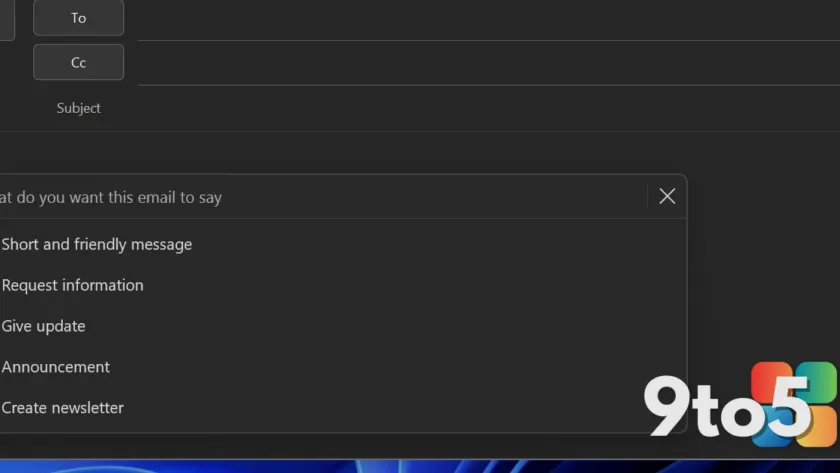
The canceled update was designed to place Copilot-powered suggestions at the top of your Outlook search results. Instead of returning a straightforward list of matching emails, calendar events, and contacts, the interface would prioritize contextual AI recommendations. These suggestions relied on contextual awareness to interpret your query and provide a brief summary alongside the result.
Microsoft confirmed the reversal in an update posted to the official Microsoft 365 Roadmap, which was spotted by Windows Latest today. The company stated plainly: “We have decided not to move forward with this change at this time. We apologize for any inconvenience.”
The rollback applies to Outlook for Windows, Android, iOS, and the web. Notably, Outlook Classic was never part of the experiment in the first place. This distinction matters because Microsoft has historically treated the legacy desktop client as a maintenance-only environment, while pushing innovation toward the New Outlook experience.
Rolling back an AI feature is uncommon for Microsoft, especially one tied to its broader Copilot monetization strategy. The decision signals that user friction can override product roadmaps when the core workflow is disrupted. Historically, Microsoft has shown a willingness to iterate on Copilot placement, as seen with previous adjustments to the Copilot pane in Teams and the desktop search experience.
Why Users Pushed Back
The core complaint was straightforward: the AI suggestions obstructed the primary task of finding actual emails. When users typed a query, they were forced to scroll past Copilot recommendations before reaching their messages. For power users who rely on Outlook search daily, this added friction to a fundamental workflow.
Secondary frustration centered on the lack of granular controls. The feature could not be easily disabled through standard settings, leaving users feeling locked into an unwanted interface change. Many reported that the contextual matching often returned irrelevant results, further degrading search accuracy rather than improving it.
The backlash aligns with a broader pattern in enterprise and consumer software, where forced AI integration frequently collides with established productivity habits. Users generally prefer AI as an opt-in assistant rather than a default overlay that restructures familiar menus. Microsoft’s quick pivot acknowledges that assumption.
What This Means for You
If you are currently using the New Outlook on Windows, Android, iOS, or the web, your search results will revert to the traditional list format once the update propagates. You will no longer see Copilot recommendations inserted above your emails and calendar items.
Users on Outlook Classic should note that this cancellation does not affect their experience, as the legacy client was never targeted for this specific change. However, Microsoft has confirmed that full Copilot integration is still planned for Outlook Classic, specifically within the compose experience. That update will allow users to create, refine, and edit email content in real time with AI assistance.
The company is also testing a floating Copilot button that would appear in the bottom-right corner of the screen, mirroring the always-visible approach already implemented in Excel and Word. While you can move the button back to the ribbon, the default behavior remains automatic. Microsoft has not announced settings to disable the feature after installation.
What to Do Next
For users who want to avoid Copilot entirely in Outlook, the only current workaround is to downgrade or switch to a non-Copilot Microsoft 365 license. Microsoft has not provided an enterprise policy or user-level toggle to suppress the AI components once they are deployed.
If you prefer to wait out the Copilot Classic rollout, you can continue using the current New Outlook build without the canceled search feature. The rollback will apply automatically through standard update channels, so no manual action is required to restore your previous search behavior.
IT administrators managing a fleet of Outlook clients should monitor the Microsoft 365 Roadmap for deployment timelines and any future configuration options. Microsoft has not yet published guidance on whether the Copilot pane or floating button will receive group policy controls similar to those available for other Copilot features.
Source: Windows Latest
Over to you: Will you keep waiting for a toggle to disable Copilot, or are you fine with the current always-on approach?
You may also like
 Microsoft Warns Teams Mobile Users: Update by October or Lose Critical Feature
 MS-DEFCON 4 AI Security Alert: AskWoody Warns of AI Industry Risks
 Hotel Wi-Fi Gateways Under Attack: How Hackers Are Hijacking Microsoft 365 Accounts
 Samsung’s AI Glasses Push Forces IT Leaders to Rethink Corporate Security