Finding a capable laptop without spending a fortune has never been easier, but it does require knowing exactly which specs matter and which ones you can safely skip. After testing dozens of machines across multiple price points, we have narrowed down the best laptops under $500 that actually deliver reliable daily performance for students, remote workers, and casual users.
The budget laptop market has shifted dramatically in recent years. A decade ago, sub-$500 machines were often plagued by dim displays, sluggish processors, and flimsy chassis. Today, manufacturers have standardized 1080p panels, 8GB of RAM, and modern connectivity across entry-level tiers. Whether you prefer Windows 11, macOS, or Chrome OS, there is a machine in this bracket that will handle web browsing, document editing, video streaming, and light multitasking without breaking a sweat.
Below, we break down our top picks, explain how they compare, and provide a straightforward buying guide so you can make an informed decision. We also include practical advice on what to prioritize based on your specific workflow, from port selection to display quality and battery endurance.
#1 MacBook Neo (2026) – Best Overall Budget Laptop
Apple recently expanded its lineup with the MacBook Neo, a machine that sits just above our strict $500 threshold but delivers such a refined experience that it earns the top spot. Priced slightly higher than the cutoff, it offers an all-aluminum unibody chassis, a 13-inch Liquid Retina display with a 2408×1506 resolution, and Apple’s A18 Pro chip. The build quality alone sets it apart from most competitors in this bracket, which frequently rely on polycarbonate or recycled aluminum frames that flex under pressure.
Performance-wise, the A18 Pro handles everyday tasks with noticeable responsiveness. Applications launch instantly, web pages render smoothly, and switching between multiple browser tabs or productivity apps feels seamless. The single-core performance is particularly strong, which translates to snappier interactions in web-based tools and lightweight creative software. However, multi-core workloads, such as video rendering or heavy compilation tasks, will still lag behind dedicated workstation hardware.
The display is one of the standout features, offering 500 nits of brightness and excellent color accuracy. While it does not support the full P3 wide color gamut found on higher-end Apple displays, it remains highly usable for photo editing, document work, and media consumption. Battery life consistently exceeds 13 hours in our testing, which means you can leave the charger at home for an entire workday or school session.

There are trade-offs, of course. The trackpad lacks force touch pressure sensitivity, and the two USB ports use different connector types, which may require adapters for certain peripherals. The webcam is functional but does not match the quality of premium models. Still, for users who prioritize build quality, battery life, and long-term macOS support, the MacBook Neo remains the most cohesive option in the budget category.
#2 Asus Chromebook Plus CX34 – Best Chromebook Under $500
If you prefer an open ecosystem and do not mind running Google’s operating system, the Asus Chromebook Plus CX34 stands out as the top Chrome OS choice. It features an Intel Core i5 processor paired with 8GB of RAM, which is the sweet spot for Chrome OS multitasking. The 14-inch 1080p display delivers sharp text and vibrant colors, making it comfortable for extended reading and document editing sessions.
What truly separates this model from cheaper alternatives is its connectivity and build. Asus included a full array of ports, including USB-C, USB-A, and HDMI, which eliminates the constant need for dongles. The white finish gives it a clean, modern aesthetic that fits well in both home offices and university libraries. The keyboard is responsive with a comfortable key travel, and the trackpad is large enough for precise gestures.
Performance remains consistently smooth even with a dozen browser tabs open alongside a video call. Chrome OS has matured significantly, and paired with this hardware, it handles Google Workspace, Microsoft 365 web apps, and Linux development environments without issue. The full HD webcam also performs well in low-light conditions, which is a notable upgrade over many budget competitors.
The main compromise is battery life, which falls slightly behind the MacBook Neo. It still delivers a full day of use, but heavy multitasking or streaming will drain it faster. Additionally, the 16:9 aspect ratio feels slightly cramped compared to newer 16:10 displays, though it remains practical for standard content.
#3 Asus Chromebook CX15 – Best Chromebook Under $200
For users who need a functional machine for under $200, the Asus Chromebook CX15 delivers exactly what is needed. It runs on an Intel Celeron N4500 processor with 4GB of RAM, which is the minimum viable configuration for modern web workflows. The 15.6-inch 1080p screen provides ample workspace, and the full-sized keyboard makes typing comfortable for long periods.
This model excels at basic tasks. Web browsing, email, streaming, and document editing run without noticeable lag. The compact form factor makes it highly portable, and the battery lasts just over 10 hours on a single charge. It is not designed for heavy multitasking or resource-intensive applications, but for students, casual users, or anyone needing a reliable secondary device, it checks all the essential boxes.
The trade-offs are visible in the chassis and thermal management. The fan can become audible under sustained load, and the screen quality, while adequate, lacks the brightness and contrast of higher-tier models. If your budget is strictly under $200 and your needs are limited to web-based tasks, this remains a solid, no-frills option.

#4 Acer Chromebook Plus 514 – Best Value for Storage
The Acer Chromebook Plus 514 offers a compelling package for users who need local storage alongside solid performance. Priced around $399.99, it includes generous storage capacity that allows you to keep files, offline documents, and media libraries without relying entirely on cloud services. The Intel Core i3 processor handles everyday tasks efficiently, and the 1080p display provides clear visuals for both work and entertainment.
Acer has focused on practicality with this model. The chassis is durable enough for daily commuting, and the port selection covers the essentials. While it may not have the most polished aesthetic, it prioritizes function over form. The keyboard is responsive, and the trackpad supports standard Windows-like gestures despite running Chrome OS.
This machine is ideal for users who want a straightforward, reliable laptop that does not require constant internet connectivity. The combination of adequate processing power, sufficient RAM, and ample storage makes it a practical choice for students and professionals who need a dependable secondary device.
#5 Acer Chromebook Plus 516 – Best Performance in the Sub-$500 Tier
When raw processing speed is the priority, the Acer Chromebook Plus 516 delivers. Equipped with an Intel Core i3 processor, it handles multitasking and web-based applications with noticeable ease. The design is utilitarian, but the internal components are well-coordinated to prevent thermal throttling during extended use.
One of the key advantages of this model is its frequent availability at discounted prices. Retailers often run promotions that bring it well below the $500 mark, making it one of the most cost-effective ways to access modern Chrome OS features. The 1080p display and solid build quality ensure it does not feel like a compromise, even at a lower price point.
It is worth noting that the aesthetic is functional rather than stylish. If you prioritize looks alongside performance, you may want to consider the Asus alternatives. However, for users who want maximum processing power per dollar, the Acer 516 is a strong contender.
#6 Asus Chromebook Plus CX14 – Best Compact Option
The Asus Chromebook Plus CX14 is designed for users who prioritize portability. Weighing under three pounds, it slips easily into a backpack or tote bag. The 14-inch 1080p touchscreen provides a good balance between screen real estate and mobility. It is currently available at a discounted price, making it an attractive option for budget-conscious buyers.
Powered by an Intel Core 3 processor, it outperforms models with Celeron chips in everyday tasks. The touchscreen adds versatility, allowing you to interact directly with content or use it in tablet mode for media consumption. The keyboard is compact but comfortable, and the trackpad is responsive.
This model is ideal for frequent travelers, students, or anyone who needs a lightweight secondary device. The combination of a modern processor, 1080p display, and affordable pricing makes it a well-rounded choice in the sub-$500 category.
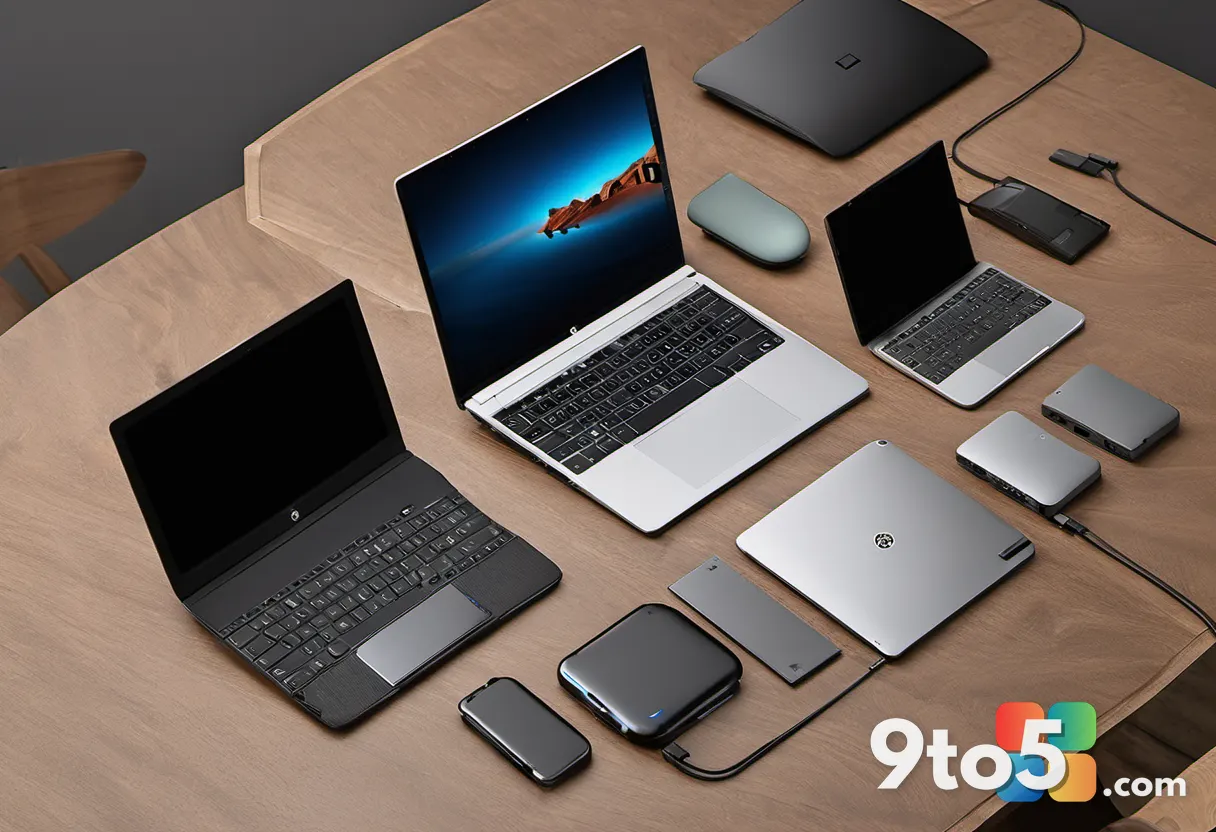
How to Choose the Best Laptops Under $500
Selecting a budget laptop requires focusing on the specifications that impact daily usability. The following guide breaks down the key factors to consider before making a purchase.
Operating System: Windows, macOS, or Chrome OS?
Windows 11 offers the broadest software compatibility and is ideal for users who need access to specialized desktop applications. macOS provides long-term support and a polished ecosystem but comes at a premium. Chrome OS is lightweight, secure, and optimized for web-based workflows. If your tasks revolve around Google Workspace, Microsoft 365 web apps, and streaming, Chrome OS is a highly efficient choice.
Processor: Intel Core i3/i5 vs. AMD Ryzen 3/5
For sub-$500 laptops, Intel Core i3 or i5 processors are standard. The i5 provides a noticeable boost in multitasking and heavier workloads. AMD Ryzen 3 processors handle everyday tasks efficiently, while Ryzen 5 chips offer performance comparable to Intel’s i5. On Chrome OS, Snapdragon and Pentium chips generally outperform MediaTek processors in sustained workloads.
RAM: The Multitasking Baseline
8GB of RAM is the recommended minimum for smooth performance in 2024 and beyond. It allows you to keep multiple browser tabs, productivity apps, and communication tools open simultaneously without slowdowns. Chrome OS models often ship with 4GB, which is functional but may feel constrained with heavy usage. If your budget allows, prioritize 8GB.
Display: Resolution and Size Matter
Never settle for less than 1080p resolution. Lower resolutions appear blurry and strain the eyes during extended use. A 13 to 14-inch screen offers the best balance between workspace and portability. Larger displays provide more room but add weight and often increase the price.
Battery Life and Ports
Look for 10 to 12 hours of battery life to ensure you can work or study without hunting for an outlet. Port selection is equally important. USB-C, USB-A, and HDMI cover most peripheral needs. Fewer ports mean you will need to carry adapters, which adds bulk and potential points of failure.
What This Means for You
The budget laptop market has reached a point where compromise no longer means poor quality. You can now purchase a machine under $500 that delivers a 1080p display, 8GB of RAM, and modern connectivity without sacrificing reliability. The key is aligning the specifications with your actual workflow. If you primarily use web-based tools, a Chromebook offers the best balance of performance and battery life. If you need desktop application compatibility, a Windows 11 model with an Intel Core i5 or AMD Ryzen 5 is the smarter investment. For those who prioritize build quality and long-term software support, the MacBook Neo justifies the slight budget stretch.
Admins managing a fleet of devices will also appreciate the standardized specifications across these models. Uniform port layouts and predictable performance profiles simplify deployment and reduce the need for specialized training. Whether you are a student, a remote worker, or a casual user, the right sub-$500 laptop will handle your daily tasks efficiently and last for years.
Frequently Asked Questions
What is the best laptop under $500?
The MacBook Neo (2026) leads our recommendations due to its refined build quality, strong single-core performance, and exceptional battery life. It delivers a premium experience that justifies its position at the top of the budget category.
What is the best Chromebook under $500?
The Asus Chromebook Plus CX34 stands out for its Intel Core i5 processor, 8GB of RAM, and full array of connectivity options. It handles multitasking and video calls with ease, making it the most versatile Chrome OS option in this price range.
Can I upgrade the RAM or storage later?
Most laptops in this category feature soldered RAM, which cannot be upgraded after purchase. Storage may be replaceable on some Windows models, but Chrome OS devices often have fixed configurations. Verify upgradeability before buying if long-term expandability is a priority.
What is the difference between a regular laptop and a Chromebook?
Chromebooks run Google’s Chrome OS, which is optimized for web-based applications and cloud storage. Regular laptops typically run Windows or macOS, offering broader software compatibility. If your workflow relies on desktop applications, a traditional OS is necessary. For web-centric tasks, Chrome OS provides a faster, more secure experience.
Are Chromebooks good for gaming?
Standard Chromebooks are not designed for gaming. However, cloud gaming services like GeForce Now can stream titles if you have a reliable internet connection. For offline gaming, a Windows laptop with dedicated graphics is the only viable option.
Can integrated graphics handle modern games?
Yes, modern integrated graphics from Intel and AMD have improved significantly. Intel’s Iris Xe and AMD’s Radeon graphics can run lighter titles at 1080p with acceptable frame rates. However, performance varies by title, and demanding games will still require a dedicated GPU.
What to Do Next
Once you have identified your preferred operating system and primary use case, compare the top picks based on your specific needs. Check current pricing at major retailers, as discounts frequently shift availability. If you are purchasing for a team or classroom, verify warranty terms and bulk pricing options before finalizing your order.
The best laptops under $500 are no longer a compromise. They are capable, reliable machines that handle modern workflows efficiently. Choose the one that aligns with your daily tasks, and you will have a device that serves you well for years to come.
Source: PCWorld
Over to you: Which sub-$500 laptop are you leaning toward for your next upgrade, and what spec matters most to you?