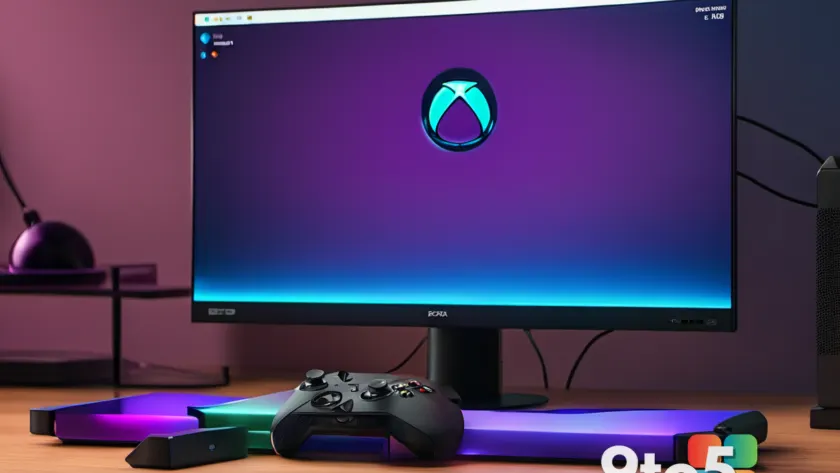
Xbox has officially confirmed that long-requested console features are rolling out to Xbox Insiders ahead of a broader public release. The update brings a suite of quality-of-life improvements to Xbox Series X|S consoles, led by the ability to enable Xbox party chat recording directly in gameplay clips. Alongside that headline change, Microsoft is expanding achievement sorting, adding direct cloud save restoration, and nearly tripling the wishlist capacity. Here is everything you need to know about the latest Xbox console update.
#1 Xbox Party Chat Recording in Game Captures
The most requested feature in this batch is finally arriving. Xbox is allowing players to include their voice and party chat audio directly in recorded gameplay clips. Previously, captures only contained the game’s audio output, which meant any coordinated strategies or loud celebrations were lost the moment you hit stop.
The new system gives you granular control. Each participant in a party chat can toggle whether their microphone feed is included in the recording. You can also opt to capture in-game voice chat if you are using a third-party communication app instead of the native Xbox party system. This means you can document a full boss fight with your squad’s commentary without needing an external capture card or streaming setup.
The feature is currently live for Xbox Insiders in the Alpha Skip-Ahead ring. Microsoft has not yet provided a public release date for the wider rollout, but based on past Insider preview patterns, expect it to reach the general console audience within a few weeks.
#2 Expanded Achievement Sorting Options
Tracking your progress across hundreds of games has been a persistent pain point on the Xbox dashboard. The new update addresses that by adding multiple sorting methods to your game library and achievement tracker.
In addition to the existing last played view, you can now sort your collection by game title, completion percentage, total Gamerscore earned, and the number of achievements unlocked. Each category supports both ascending and descending order, letting you quickly find your most completed titles or identify which games are sitting at 99 percent completion.
This update arrives just in time for Microsoft’s recently announced Platinum Achievements program. Having a reliable way to filter your library by completion rate will make it much easier to prioritize which games to tackle next.
#3 Direct Cloud Save Restoration
Cloud save management has historically required navigating to the Xbox dashboard settings or using the companion app on a phone or PC. That workflow is changing with a new console-native restore option.
Starting next week, Xbox players will be able to browse previously synced cloud save versions and restore them directly from the console. The rollout begins with Forza Horizon 6, with Microsoft confirming that additional titles will receive support in future updates.
To access the feature, navigate to Manage game & add-ons, select Saved data, and choose Restore saved data. This is particularly useful if a recent update corrupts your progress or if you want to revert to a save file from before a frustrating checkpoint. The ability to restore from the console itself removes the friction of switching devices just to recover a save slot.
#4 Increased Wishlist Limit
The final change is a straightforward capacity upgrade. Xbox is raising the maximum number of games you can add to your console wishlist from 301 to 1,000.
This change is available to all Xbox users starting today, with no Insider ring required. The wishlist has long been a useful tool for tracking upcoming releases and monitoring price drops, but the previous cap forced players to constantly delete older entries to add new ones.
With the new limit in place, you can now keep an entire backlog of anticipated titles in one place. This is especially helpful for tracking sales events like the Xbox Season Sale or holiday promotions without losing track of games you added months ago.
What This Means for You
These updates represent a clear shift in how Microsoft handles the Xbox dashboard experience. Rather than focusing solely on new hardware or exclusive game launches, the company is addressing the foundational tools that power daily console use. The voice chat recording feature alone removes a major barrier for players who want to share moments with friends without investing in streaming equipment. Meanwhile, the cloud save restoration option gives you actual ownership over your progress, which is a meaningful step forward for a service that previously treated save data as a locked black box.
If you are currently enrolled in the Xbox Insider program, you can test the voice chat and achievement sorting features immediately. For the cloud save restoration, keep an eye on your Forza Horizon 6 dashboard next week. The wishlist expansion is already live, so you can start organizing your backlog right now.
How to Get It
Xbox Insider features roll out in waves, so availability depends on your current ring. To check your status, open the Xbox Insider Hub app on your console and navigate to My Insiders. If you are not enrolled, you can join the Beta ring for a more stable preview experience, or wait for the public update to push through the standard update pipeline. Microsoft typically announces the general release timeline alongside the Insider rollout, so keep an eye on the official Xbox news site for confirmation dates.
Source: Latest from Windows Central
Over to you: Will you use the new party chat recording feature for boss fights, or do you prefer keeping your captures silent?