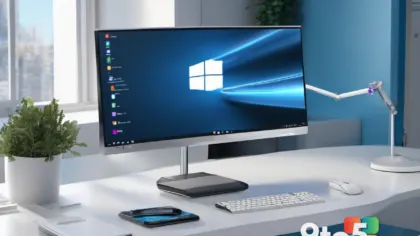
Microsoft is preparing a significant update to the Windows 11 user interface, and according to reporting from Windows Central, the changes are substantial enough to address years of user feedback. The upcoming Windows 11 26H2 release will restore the ability to move the taskbar, introduce granular Start menu controls, and completely redesign how Windows Search prioritizes results. These changes target the core areas of the operating system that define daily interaction with your PC.
While Microsoft has not confirmed a final release date, the update is expected to arrive in fall 2026. However, because many of these features are being delivered through monthly cumulative updates, users running the current 25H2 version may see them roll out sooner than the major version launch. This approach allows Microsoft to test and refine the features with a broader audience before they become part of the permanent OS baseline.
The Movable Taskbar Returns with Vertical Layout Adjustments
One of the most persistent complaints since Windows 11 launched was the removal of the taskbar’s ability to move to different screen edges. That restriction is finally being lifted. The new taskbar can be positioned at the top, bottom, left, or right edge of your display. When you switch to a vertical position, the interface automatically adjusts to accommodate the change. For instance, the Start menu and Search results will open downward instead of upward, and all taskbar elements will reposition to fit the new orientation.
There are a few limitations to be aware of when using vertical layouts. The clock will display the year in an abbreviated format, and the option to show seconds is disabled. Additionally, both left and right layouts support app ungrouping and labels with the “Never combine” option, giving you more flexibility with your pinned applications. A new smaller taskbar option is also available, which reduces icon size and disables the separate icon size control while active.
You can access these controls by navigating to Settings > Personalization > Taskbar > Taskbar behaviors. Microsoft has included a live preview for each layout, allowing you to see exactly how the change will look before you apply it.
Start Menu Gains Section Toggles and Privacy Controls
The Start menu is receiving a major overhaul focused on customization and privacy. Instead of relying on dynamic sizing based on your display resolution, Windows 11 26H2 will introduce preset size options. While you still cannot drag to resize the menu or switch to a full-screen layout like in Windows 10, these presets offer significantly more flexibility than the previous fixed layout.
Perhaps more importantly, you will now have full control over which sections appear. You can toggle the Pinned, Recent (previously labeled Recommended), and All sections on or off. This means you can hide sections you never use to declutter your start screen. Microsoft is also separating file recommendations from system recommendations. This change allows you to turn off suggested content in the Start menu without affecting recent files or Jump Lists elsewhere, including on the taskbar and in File Explorer.
A new privacy feature addresses a common concern during remote work. You can now hide your user account name and profile picture during screen sharing. This setting, found in Settings > Personalization > Start, prevents personal or work information from appearing in meetings, presentations, or live streams.
Windows Search Prioritizes Local Results
The Windows Search experience is getting its largest redesign since the OS launched. The new search home page centers on your recent searches, significantly reducing the visual clutter caused by trending topics and promotional content. When a web result is the best match for your query, Search will now place the answer prominently instead of prioritizing products or sponsored content.
The ranking system has been rewritten to prioritize local content. Apps, settings, and files will now appear before web and Microsoft Store results when they are the most relevant match. This change also improves accuracy for settings searches. Additionally, the search engine now handles misspelled queries, missing or extra letters, and partial words much better. You can find local files with as few as two characters, and the system does a better job of identifying matching cloud and connected files. The search box itself has also been increased in height by four pixels for better visibility.
What This Means for You
For everyday users, these changes address the most requested features in the Windows 11 lifecycle. The movable taskbar restores a fundamental productivity tool that power users relied on for years. The Start menu toggles give you control over your desktop space, and the search overhaul makes finding files and settings faster and less distracting. If you are currently using Windows 10, these changes bring the platform much closer to the customization options that were standard for over a decade. You should keep an eye on your Windows Update settings, as these features may arrive on your current version before the 26H2 major update drops.
How to Get It
The features will be available after installing Windows 11 26H2 or the equivalent 25H2 monthly update. You can manage the new taskbar and Start menu settings through the Personalization section in Settings. To adjust search preferences, navigate to Settings > Privacy & security > Search, where you can turn off web results and Microsoft Store suggestions for a local-only experience. Since individual features may appear on a staggered schedule, some options currently in testing could change before general availability.
Source: Windows News: Updates, Security Patches, Microsoft OS Changes – gHacks
Over to you: Which feature are you most excited to use: the movable taskbar or the new Start menu toggles?
You may also like
 Windows 10 Extended Security Updates Extended to 2027, But Office Support Is Still on the Clock
 PlayStation Drops God of War One Day Before Fable, Highlighting Xbox Multi-Platform Strategy Dilemma
 Scammers Are Rolling Out Fake Windows App Sites in New Distribution Campaign
 Smart Home Camera Security: Why Your Live Feed Might Not Be Private