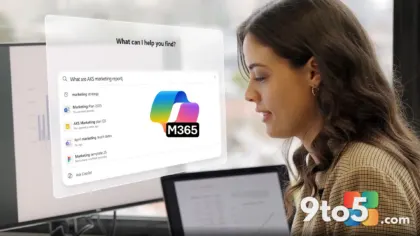
If you are a current Microsoft 365 subscriber, you might have noticed a persistent, bright Microsoft 365 upgrade banner in the title bar of Office apps like Word and Excel urging you to “Upgrade your plan.” Despite already paying for a subscription, this notification refuses to disappear, no matter how many times you dismiss it. According to a recent report from Windows Latest, Microsoft has officially confirmed that this behavior is intentional.
The banner sits prominently in the interface, acting as a constant reminder to upgrade, even for users who already have a sufficient plan. Frustration has been mounting across the Microsoft Community forums and Reddit, with users reporting that standard troubleshooting steps—including signing out and back in, applying registry edits, and even reinstalling the Office suite—fail to remove the alert.
In one notable case, a user spent approximately ninety minutes with Microsoft Support before concluding that the banner cannot be disabled. Support staff attempted to delete files, remove registry keys, and reinstall Office, but the notification returned shortly after. This has led to growing dissatisfaction, with some users threatening to cancel their subscriptions due to the intrusive monetization tactics.
The “Upgrade Your Plan” Banner Won’t Quit
The core of the issue lies in how Microsoft has integrated this upsell mechanism directly into the Office interface. Unlike previous notification systems that could be toggled off or ignored, this banner appears to be hardcoded into the application’s licensing check routine. Users have reported that the alert returns even after temporary fixes, suggesting it is tied to periodic license validation or cloud-based configuration updates.
Community discussions reveal that the banner persists across multiple Office applications, affecting both personal and business accounts. The lack of an official opt-out option has turned this into a significant user experience concern. Many subscribers feel that the notification undermines the value of their existing subscription, creating a sense of constant pressure to spend more money on AI features they may not need.
The persistence of the banner has also drawn attention from tech reviewers and industry analysts, who view it as a potential misstep in Microsoft’s AI strategy. By prioritizing upsells over user control, Microsoft risks alienating customers who are already paying for premium services. This approach contrasts sharply with competitors who focus on enhancing existing features rather than introducing new monetization layers.
Microsoft Confirms the Microsoft 365 Upgrade Banner Is By Design
Microsoft has not denied the existence of the banner, instead classifying it as an intentional “feature” rather than a bug. In response to user complaints, the company has stated that the “Upgrade your plan” alert is by design and that there is no official process to disable it. This confirmation has done little to quell user frustration, as it implies that Microsoft sees value in this aggressive upsell strategy.
The company’s stance suggests that the banner is part of a broader effort to promote Copilot and other AI-driven features, even to users who may not be interested in upgrading. This approach aligns with Microsoft’s recent push to integrate AI across its product suite, but it has raised concerns about the balance between innovation and user experience.
Industry observers note that while promoting new features is standard practice, the lack of user control over such notifications can backfire. When subscribers feel pressured or harassed by persistent alerts, it can lead to negative sentiment and even subscription churn. Microsoft’s decision to keep the banner in place may reflect a calculated risk, prioritizing short-term revenue growth over long-term customer satisfaction.
Workarounds That Might Help (Temporarily)
While there is no official solution to remove the “Upgrade your plan” banner, users have shared several workarounds that may provide temporary relief. These methods are not guaranteed to work for everyone, and the banner may return after updates or sign-in refreshes. However, they can help reduce the frequency of the notification in the meantime.
One common approach involves signing out of your Microsoft 365 account and then signing back in. Some users report that this temporarily clears the banner, though it often reappears after a few hours. To try this, open any Office app, go to File > Account, click Sign out, close the app completely, and then reopen it to sign back in.
Another option is to update your license from the Account page. This can sometimes refresh the licensing status and remove the banner. Navigate to File > Account, look for the Product Information section, and click Update License or Refresh License. Restart the app afterward to see if the alert disappears.
For a more thorough approach, users have tried Quick Repair or a full reinstall of Office. These methods can clear cached licensing data, but the banner tends to return after an update or sign-in refresh. To perform a Quick Repair, open Windows Settings, go to Apps > Installed apps, find Microsoft 365 or Office, click Modify, and choose Quick Repair. A full reinstall involves removing the application entirely and downloading a fresh copy from Microsoft’s website.
What This Means for You
The persistence of the “Upgrade your plan” banner highlights a growing tension between Microsoft’s push for AI monetization and user expectations for a seamless experience. For current subscribers, this means dealing with a constant reminder to spend more money, even if you have no intention of upgrading. The lack of an official opt-out option leaves users feeling powerless, with some resorting to workarounds that may not be sustainable long-term.
From an industry perspective, this situation underscores the challenges of integrating new technologies like AI into existing products without alienating current customers. While promoting Copilot and other AI features is essential for Microsoft’s future, the method of doing so matters. Aggressive upsells can erode trust and drive users toward competitors who prioritize user control and transparency.
As Microsoft continues to expand its AI offerings, subscribers should stay informed about their subscription benefits and consider whether the additional features justify the cost. If the persistent banner becomes too intrusive, users may need to weigh the value of their current subscription against the potential benefits of upgrading. In the meantime, the workarounds shared by the community offer a way to manage the notification until a more permanent solution is introduced.
Source: Windows Latest
Over to you: Have you found a workaround that actually works, or are you considering canceling your subscription?
You may also like
 Windows Insider Deadline: Update Secure Boot Certificates Before August 11
 AI Agents in IT Ops Are Handling a Third of Work, But Humans Still Hold the Keys
 Microsoft Admits It Uses Windows 11 to Push Edge, Bing, and Copilot; Alliance Calls It Out
 Inside Microsoft’s Windows 11 Vision: Marcus Ash on Design, Performance, and Legacy Compatibility