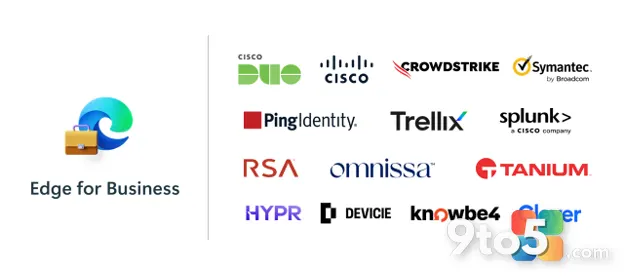
Microsoft is expanding the Edge for Business security connector framework with three new partner integrations: Cisco Secure Access, Tanium, and Clever. This update aims to extend your existing security stack directly into the browser, addressing the growing reality that the browser is now the primary workplace and a critical attack surface.
The connector framework allows organizations to bring policies, telemetry, and enforcement mechanisms from their preferred security vendors into the browser environment. Rather than relying on a single control plane, you can now map your current tools to browser activities, ensuring consistent protection regardless of where work happens.
#1 Cisco Secure Access
The integration with Cisco Secure Access brings a comprehensive enterprise browser solution directly into Edge for Business. This connector unifies secure access, data protection, and AI guardrails within a single framework.
For organizations already using Cisco’s secure access solutions, this integration eliminates the need to manage separate browser security policies. It allows you to enforce data loss prevention (DLP) rules and AI usage policies at the browser level, ensuring that sensitive information does not leak into unapproved AI tools or external sites.
This is particularly relevant as AI adoption accelerates in the enterprise. By embedding AI guardrails directly into the browser, you can monitor and control how generative AI tools are used, reducing the risk of intellectual property exposure while still allowing employees to leverage these technologies productively.
#2 Tanium Connector
The Tanium Connector for Microsoft Edge for Business delivers real-time browser telemetry into the Tanium Autonomous IT Platform. This integration helps organizations gain deeper visibility into browser-based threats and close critical security blind spots.
Browsers have historically been a challenging environment for traditional endpoint detection and response (EDR) tools. By integrating Tanium’s telemetry capabilities, you can now monitor browser activities, extensions, and network requests in real-time. This provides a more complete picture of endpoint security and helps identify malicious behavior that might otherwise go unnoticed.
The connector also supports compliance validation, allowing you to verify that browser configurations meet your organization’s security standards. This is especially useful for regulated industries where maintaining a detailed audit trail of security controls is mandatory.
#3 Clever Classroom MFA TrustPass
The Clever Classroom MFA TrustPass integration is designed to streamline logins in education environments. It helps recognize trusted devices in Edge for Business, reducing unnecessary multi-factor authentication (MFA) prompts while maintaining strong security.
MFA fatigue is a significant issue in K-12 and higher education, where students and teachers frequently access multiple educational platforms. By integrating Clever’s TrustPass, you can create a trusted device list that allows users to bypass MFA prompts on recognized devices, improving the user experience without compromising security.
This integration is particularly valuable for educational institutions that rely on a wide range of third-party applications. It simplifies the login process for users while ensuring that only trusted devices and users can access sensitive educational data.

Why the Edge for Business security connectors matter now
The expansion of the Edge for Business security connectors ecosystem reflects the evolving nature of enterprise security. As work becomes increasingly browser-based, the need for security tools that operate within the browser has never been more critical.
By supporting a wider range of partners, Microsoft is enabling organizations to build a more cohesive security strategy that spans both the endpoint and the browser. This reduces complexity and ensures that security policies are consistently enforced across all work environments.
What This Means for You
For IT administrators, these new integrations mean you can leverage your existing security investments to protect browser-based work. You no longer need to choose between browser-native security and your preferred third-party tools; you can have both.
Whether you are focused on data protection, threat visibility, or user experience, there is now a connector that can help you achieve your goals. We recommend evaluating these integrations to see how they fit into your current security architecture.
How to Get It
All three integrations are now generally available. You can learn more about the Edge for Business security connectors and explore the full list of supported partners on the Microsoft Edge for Business website.
Administrators can configure these connectors through the Edge for Business management console, following the detailed setup guides provided by each partner. If you are already using any of these security tools, integrating them with Edge for Business should be a straightforward process.
Source: Windows Blog
Over to you: Which of these new connector integrations will have the biggest impact on your organization’s security workflow?